Feature Summary
Transfer Record is used to view and manage the upload and download task status of all files, supporting viewing transfer progress, failure reasons, and historical transfer records.
Feature Description
| Feature Dimension | Description |
|---|---|
| Membership Restriction | No membership restriction |
| Version Restriction | No version restriction |
Operation Steps
Access via Windows Taskbar
Feature Entry
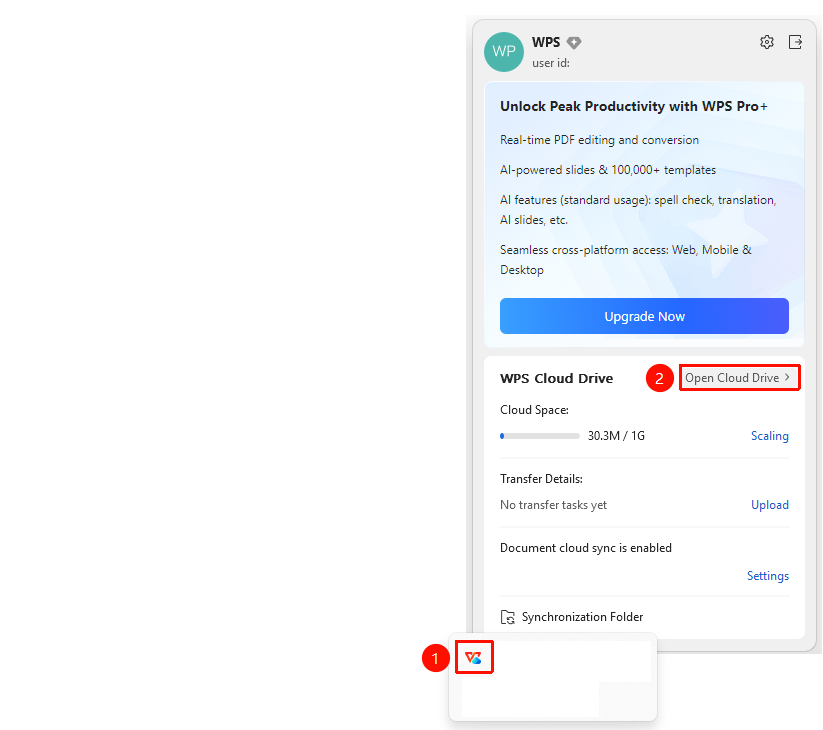
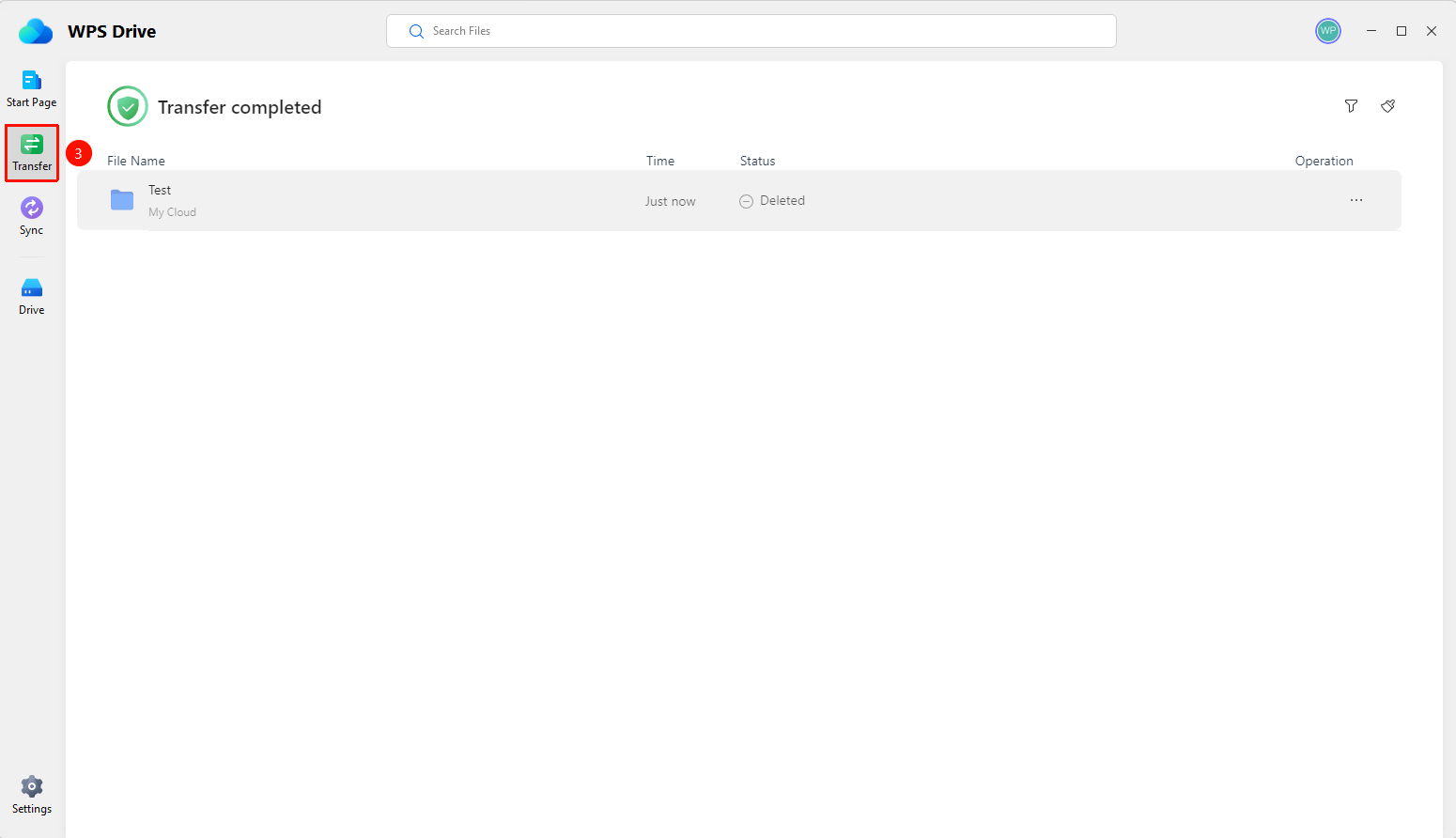
Windows taskbar → "WPS Drive" icon → "Transfer" button
- Find the "WPS Drive" icon (blue cloud) in the lower right corner of the Windows taskbar.
- Right-click the icon to pop up the WPS Drive tray panel.
- Click the "Open Cloud Drive" button to open the WPS Cloud Drive panel.
- Find the "Transfer" button in the panel and click to enter the Transfer Assistant.
Access via WPS Office Homepage
Feature Entry
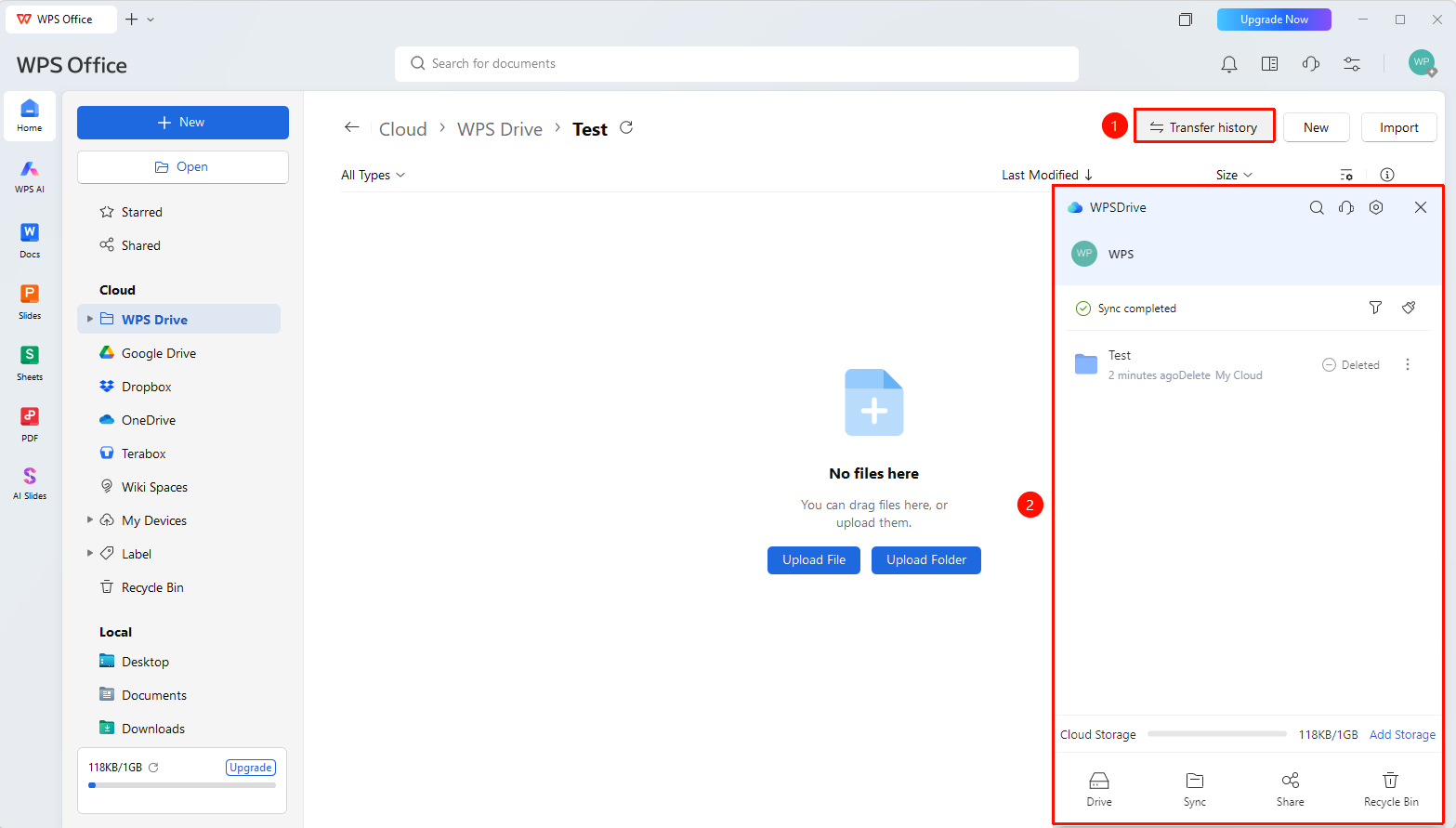
WPS Office homepage → upper right corner → "Transfer Record" button
- Open WPS Office and go to the homepage.
- Click the "Transfer Record" button in the upper right corner of the page.
- The Transfer Assistant window will pop up.
FAQ
Q1: How to handle file name conflicts?
- Solution: When "File name conflict" is displayed in the Transfer Assistant, it means a file with the same name already exists in the Cloud. After handling the duplicate file, click the "More" button (three-dot icon) on the right side of the record to retry the upload.
Q2: Is there any difference between the Transfer Assistant opened from the two entries?
- Solution: No difference. The Windows taskbar tray entry and the WPS Office homepage entry open the same Transfer Assistant window, displaying the same transfer records.
Q3: How to re-upload after a transfer failure?
- Solution: At the top of the Transfer Assistant window, click the "Retry All" button to batch retry all failed tasks. You can also click the More button (icon: "···") on the right side of a single failed record to retry.
Notes
- The bottom of the Transfer Assistant provides four shortcut entries: Drive Letter, Sync, Sharing, and Trash, for quick access to related Cloud Document features.
- "File name conflict" usually occurs when a file is edited by multiple users or renamed and then uploaded again, requiring manual confirmation and handling.
- The filter button at the top of the Transfer Assistant window can be used to filter transfer records of different statuses.