Feature Summary
The Offline Available Folder feature allows users to mark cloud folders as offline available. Files are automatically downloaded to the local device when updated, enabling normal viewing and editing even without a network connection.
Feature Description
| Feature Dimension | Description |
|---|---|
| Membership Requirement | Requires WPS membership |
| Version Restriction | No version restriction |
Steps
Right-click the WPS Drive icon to enter Drive settings
Feature Entry
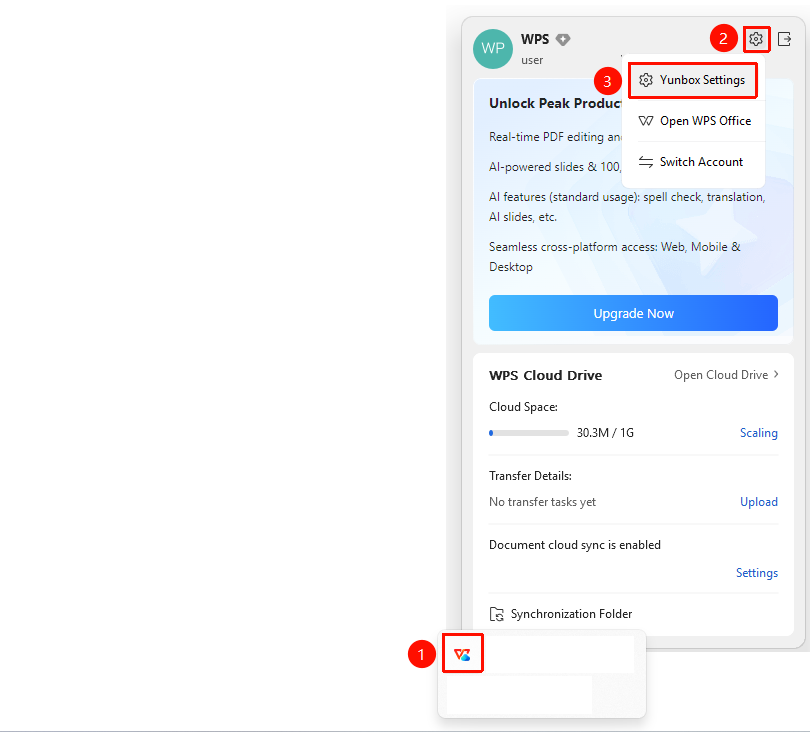
Right-click 「Term_1」 → 「Settings」 icon in the upper right corner → 「Cloud Feature Settings」 option
- Locate the 「Term_1」 icon (blue cloud) in the lower right corner of the Windows taskbar.
- Right-click the icon to open the WPS Drive tray panel.
- Click the 「Settings」 icon (gear shape) in the upper right corner of the panel.
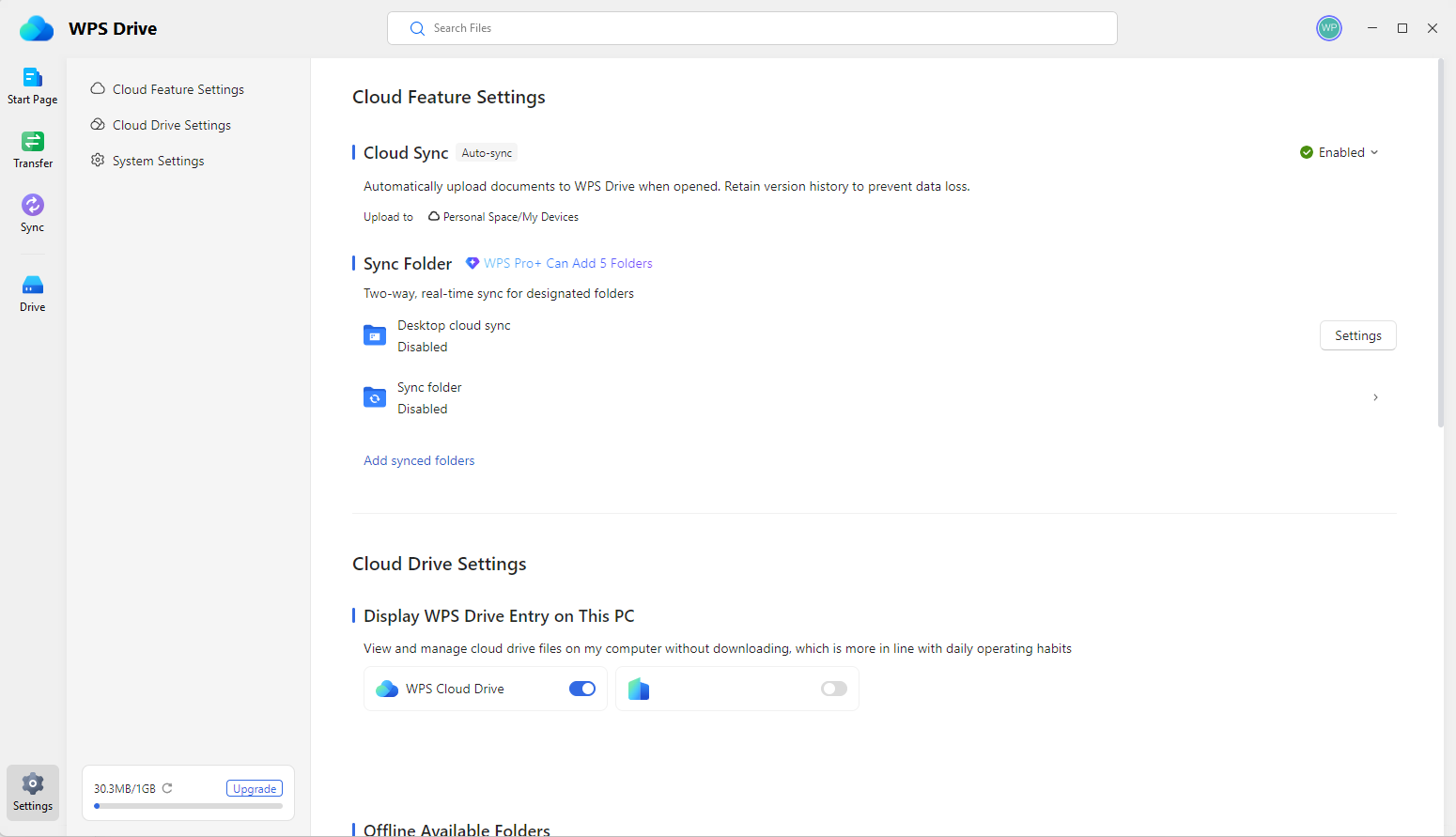
- Select the 「Cloud Feature Settings」 option from the pop-up menu.
- The WPS Drive window settings page will automatically open after clicking.
Select offline available folders
Feature Entry
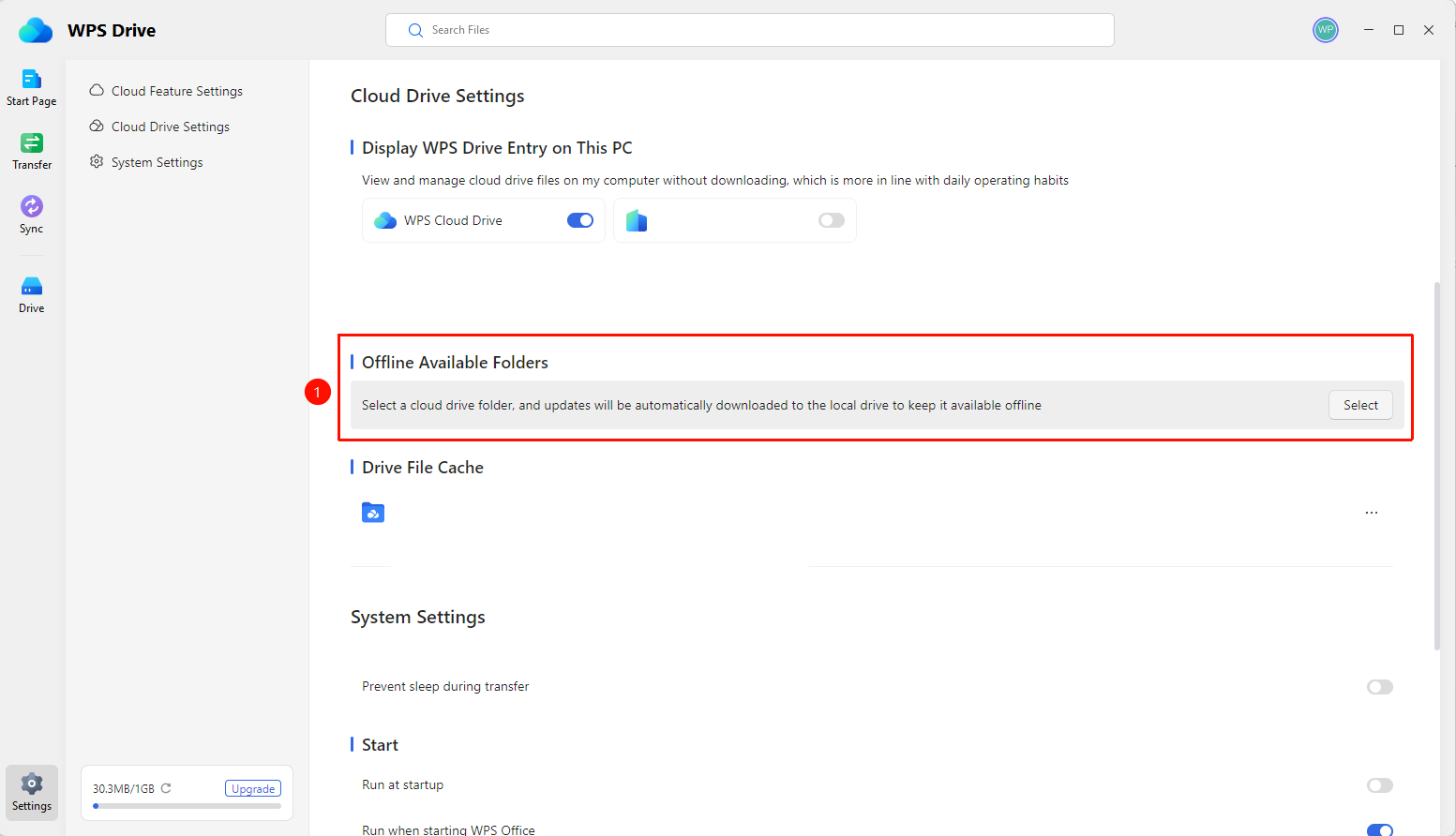
Drive settings page → 「Offline Available Folders」 → 「Select」 button
- On the Drive settings page, locate 「Offline Available Folders」.
- Click the 「Select」 button on the right to open the folder selection dialog.
- In the dialog, check the folders you want to make available offline.
- Click the 「OK」 button to complete the setup.
FAQ
Q1: Do I need to subscribe to a membership to use the Offline Available Folder feature?
- Solution: This feature requires a WPS membership subscription.
Q2: How do I cancel offline availability?
- Solution: Go to Drive settings → Offline Available Folders → Click the 「Select」 button → Uncheck the corresponding folders → Click 「OK」.
Q3: What should I do if the offline available folder download fails?
- Solution: Check your network connection and ensure sufficient local disk space. Make sure the WPS Drive process is running normally.
Notes
- When the content of offline available folders is updated, it will be automatically downloaded to the local device. Please ensure sufficient local disk space.
- This feature is exclusive to WPS members and requires a membership subscription to use.