Feature Summary
Sign up for a WPS personal account, complete verification via email, and create your own WPS office account.
Feature Description
| Feature Dimension | Description |
|---|---|
| Membership Restriction | No membership restriction |
| Version Restriction | No version restriction |
Operation Steps
Sign Up via WPS Client
Feature Entry
WPS Home → "Sign In" → "Sign Up for Account"
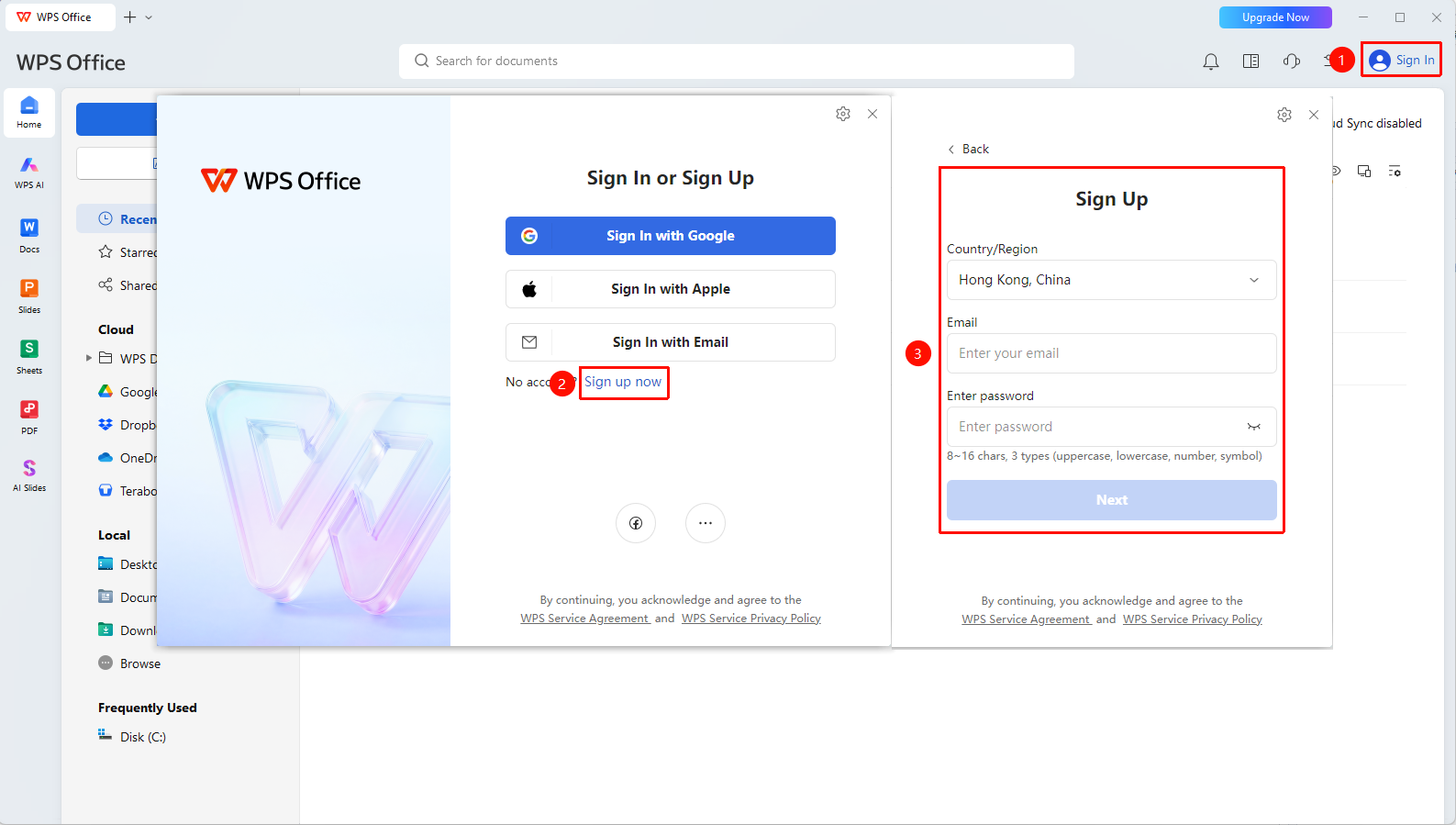
- Open the WPS Office client and click the "Sign In" button in the upper right corner
- Click "Sign Up Now" in the sign-in window
- Select "Country/Region"
- Enter "Email Address"
- Set a sign-in password
- Complete email verification
- Submit to complete account registration
Sign Up via Official Website
Feature Entry
WPS Official Website (www.wps.com) → "Sign In" → "Sign Up for Account"
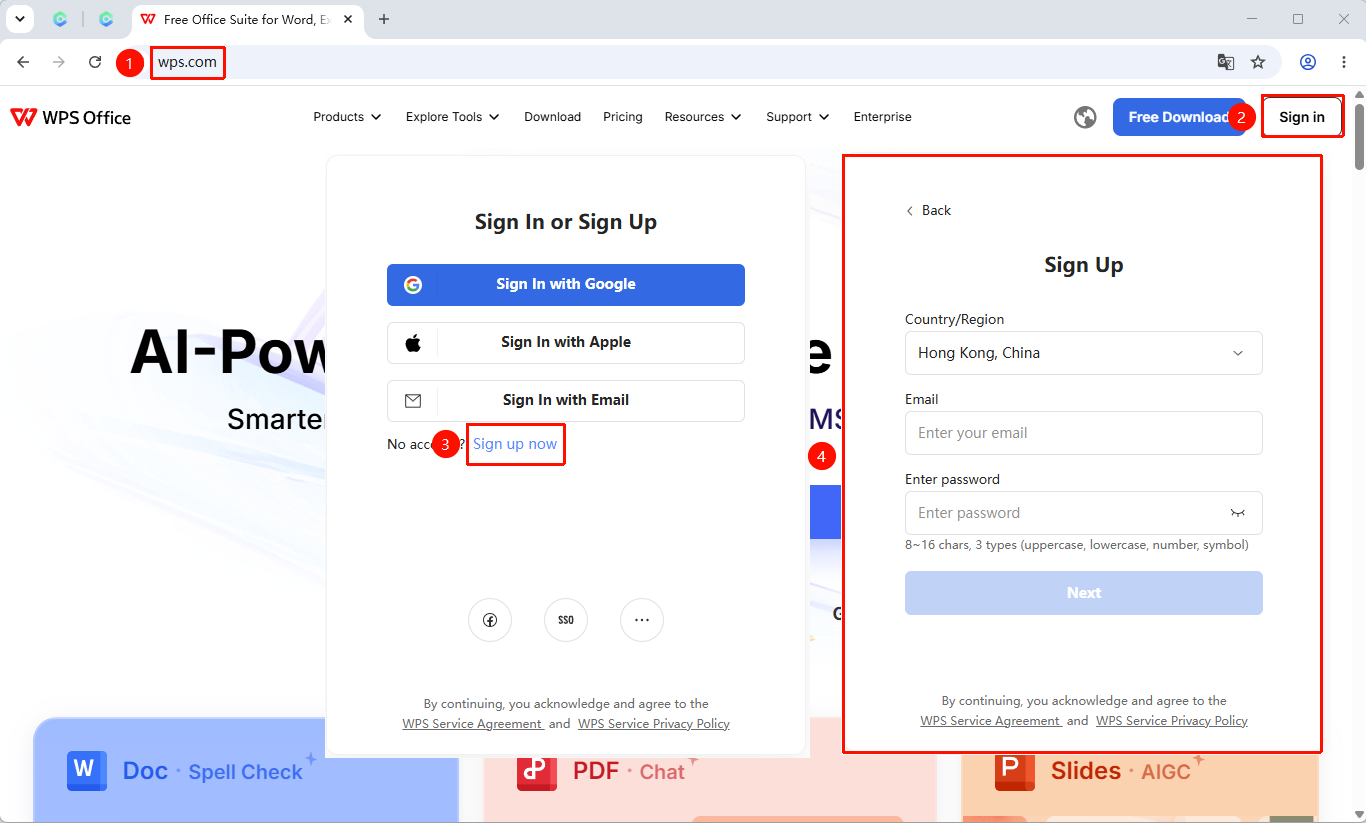
- Visit the WPS official website (www.wps.com)
- Click the "Sign In" button in the upper right corner of the homepage
- Click "Sign Up Now" in the sign-in window
- Enter your email
- Complete verification code verification
- Set a password and submit the registration
Frequently Asked Questions
Question 1: What should I do if I don't receive the verification code during sign-up?
- Solution: Check if the email address is entered correctly, check the spam folder, confirm the network connection is normal, and then request the verification code again.
Question 2: Can I change the bound phone number after signing up?
- Solution: Yes. Sign in to your account, go to the personal center, find the bound phone option in the account security settings, and follow the prompts to change the bound phone number.
Question 3: Can one phone number be used to sign up for multiple WPS accounts?
- Solution: One phone number can only be used to sign up for one WPS account. If you need multiple accounts, it is recommended to use different phone numbers or emails to sign up.
Notes
- It is recommended to use a commonly used email address for sign-up to facilitate password recovery and account verification
- It is recommended to bind a sign-in phone number as soon as possible after sign-up
- Organization users must be invited by an Admin before they can subscribe to the organization account