Feature Summary
Bind your WPS account with third-party accounts such as WeChat and Google to enable one-click quick sign-in, facilitating account management and multi-device synchronization.
Feature Description
| Feature Dimension | Description |
|---|---|
| Membership Restriction | No membership restriction |
| Version Restriction | No version restriction |
Operation Steps
Other Binding Methods
Feature Entry
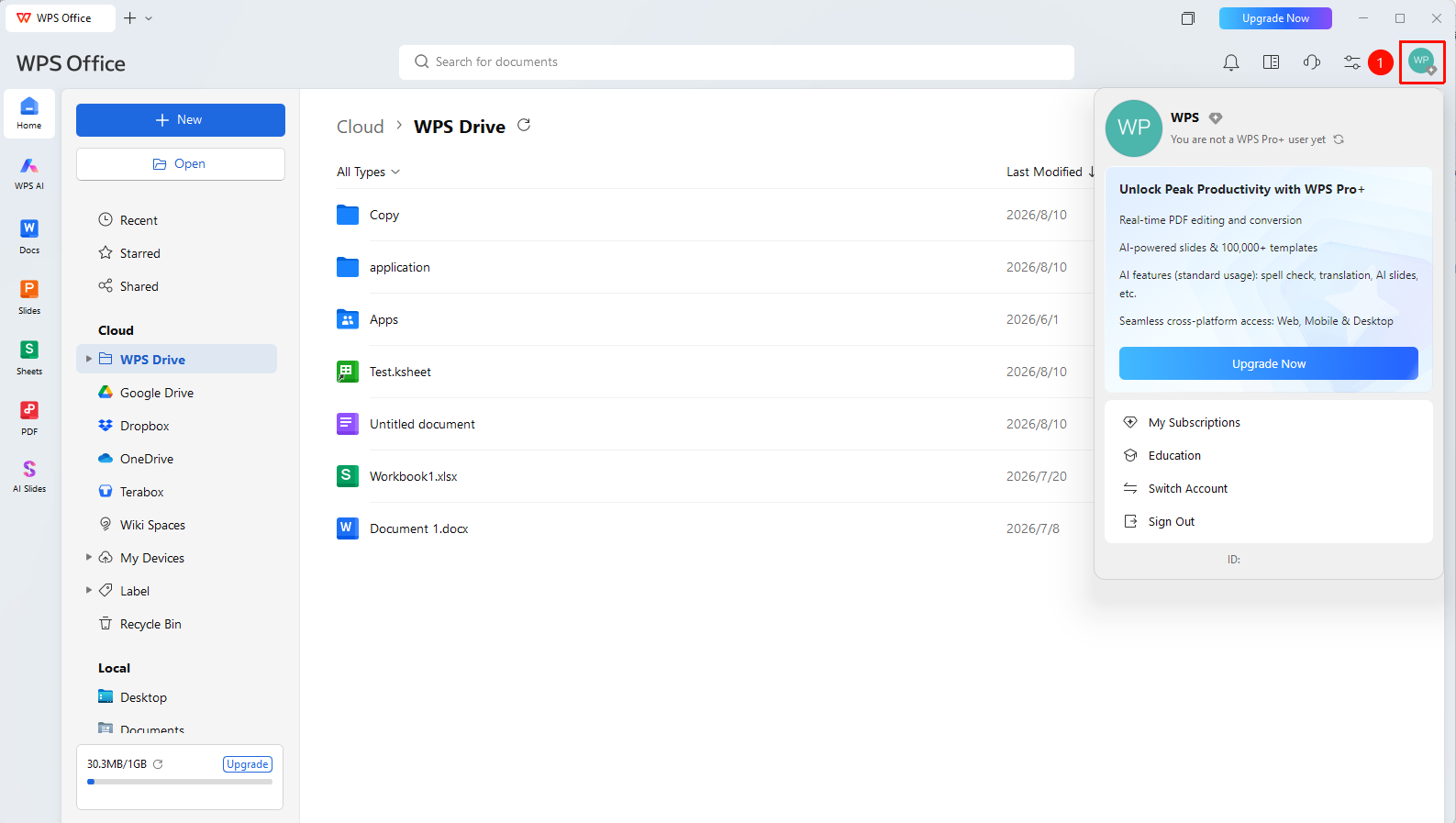
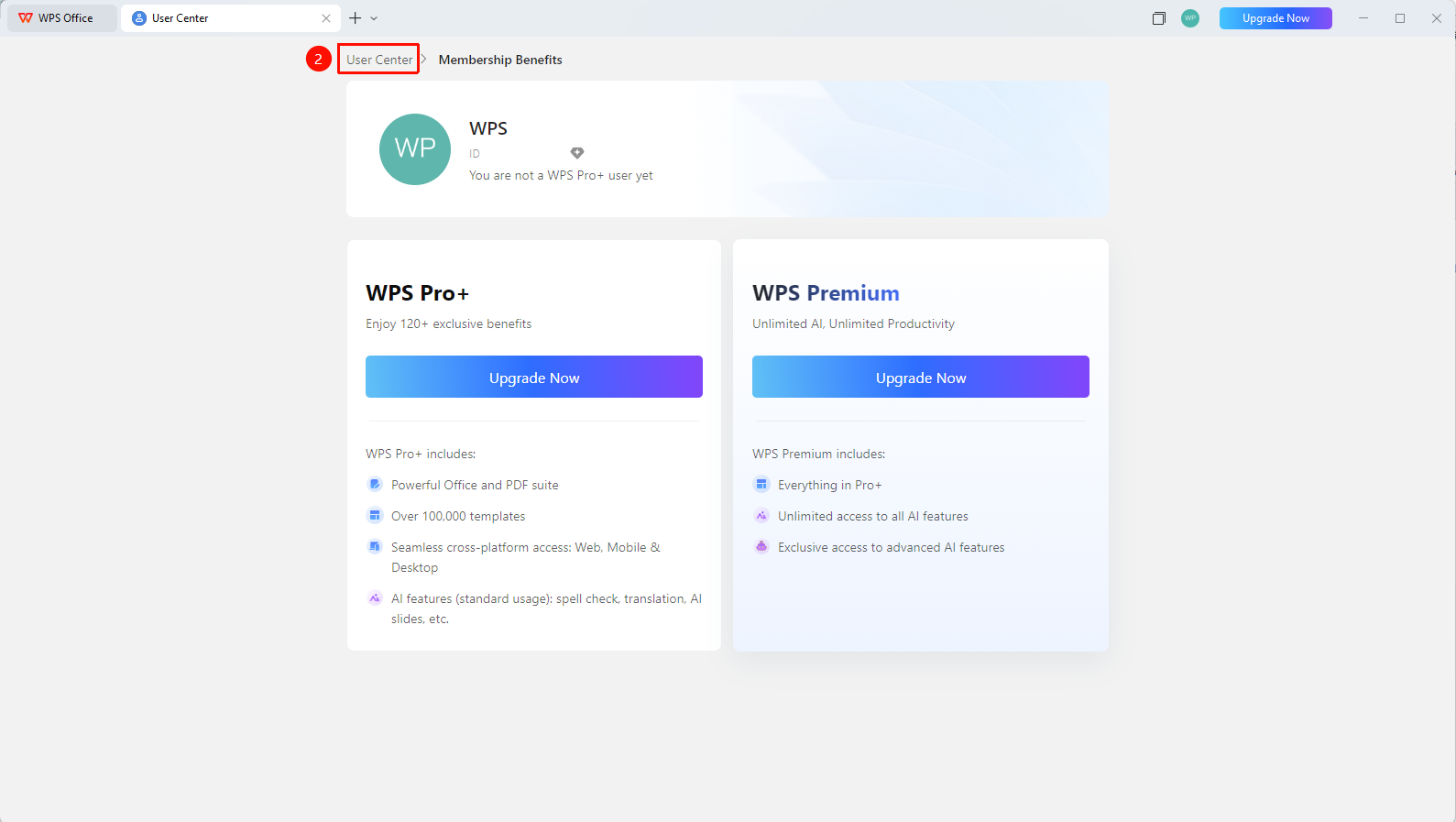
WPS Homepage → Profile Picture → Personal Center → Bind Account
- Click the 「Profile Picture」 icon in the upper right corner of WPS
- Click the 「Personal Center」 button to enter 「Personal Center」
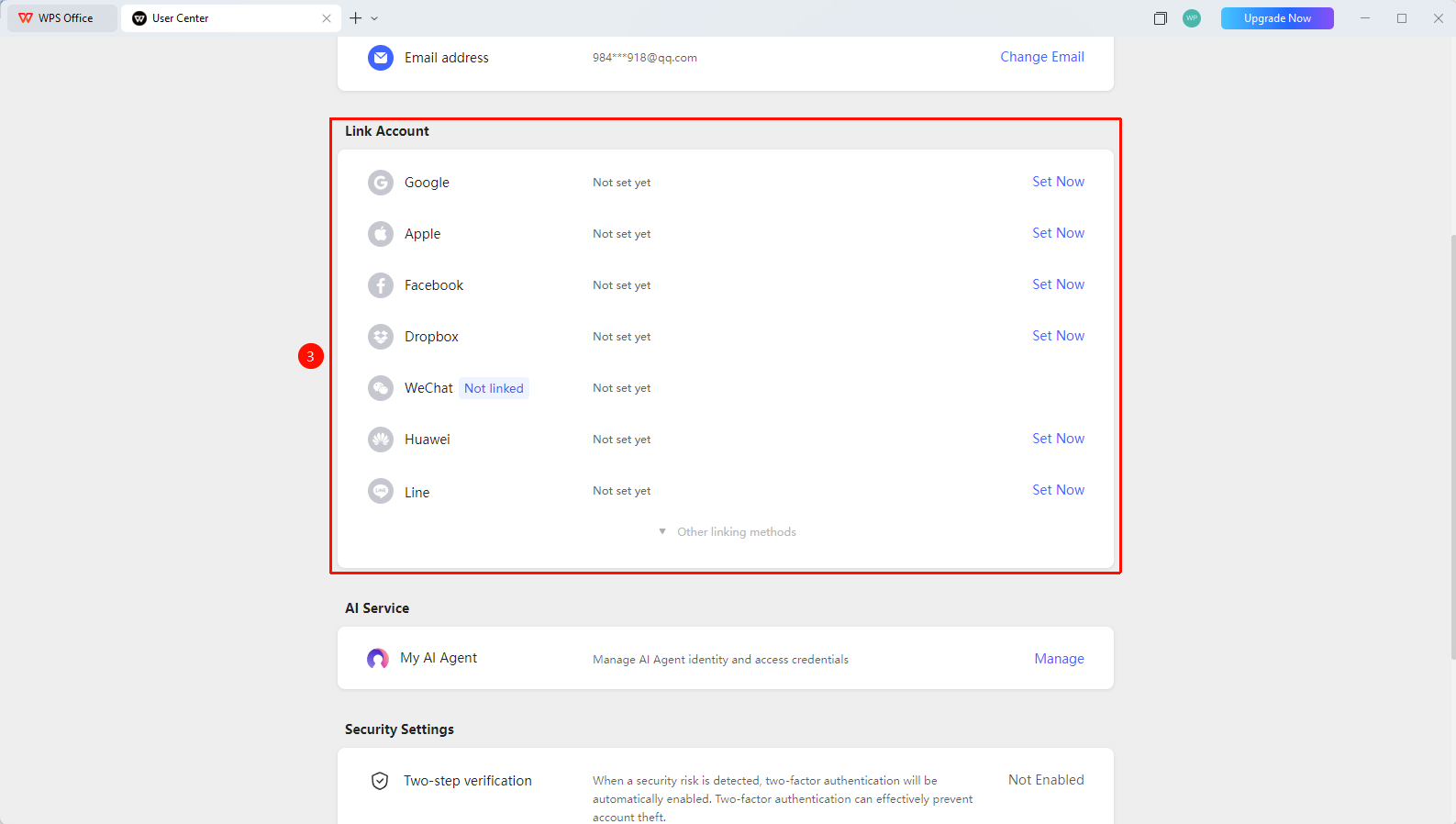
- Find the 「Bind Account」 option
- Click 「Other Binding Methods」 to expand all account binding methods
- Select the desired account binding method and click 「Set Up Now」
- Obtain the Email verification code and go to the verification website to complete the binding
Changing the Bound Email
Feature Entry
Personal Center → Account Management → Bind Account → Unbind
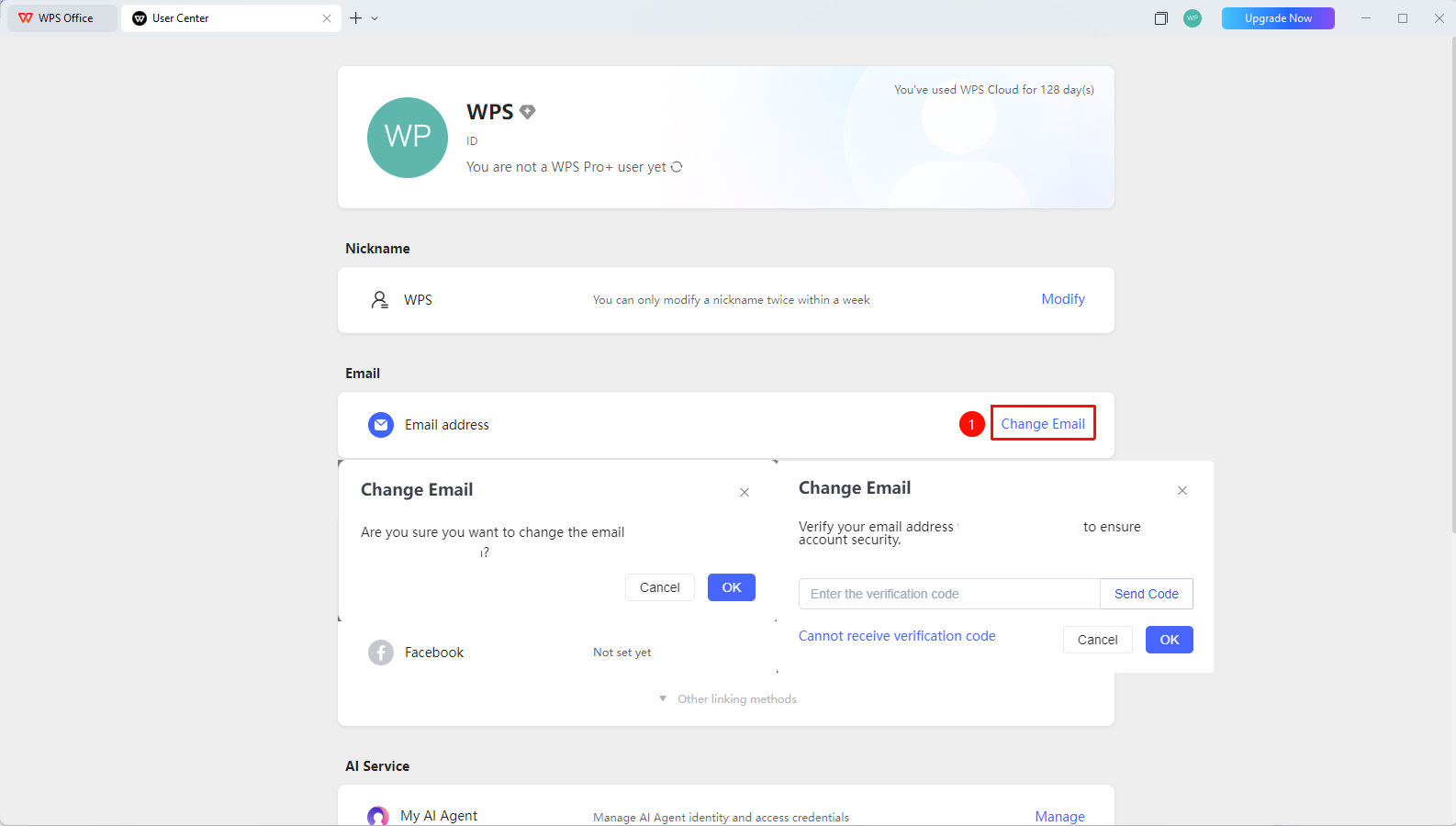
- In Personal Center, find the 「Bound Email」 settings
- Click the 「Change Bound Email」 button
- Use Email to receive a verification code for identity verification
- Go to the verification website to complete the unbinding
FAQ
Q1: Can I use a bound third-party account to sign in?
- Solution: Yes. After binding, you can directly use the third-party account to authorize and sign in to WPS.
Q2: Can I still sign in to my account after unbinding a third-party account?
- Solution: Yes. After unbinding, you can still sign in using your Email, and normal account usage will not be affected.
Q3: Can one third-party account be bound to multiple WPS accounts?
- Solution: One third-party account (e.g., one WeChat ID) can only be bound to one WPS personal account.
Notes
- After binding, you can use the third-party account for one-click quick sign-in
- Before unbinding, ensure that an Email or other sign-in method is bound
- The sign-in authorization for third-party accounts can be managed on the corresponding platform