Feature Summary
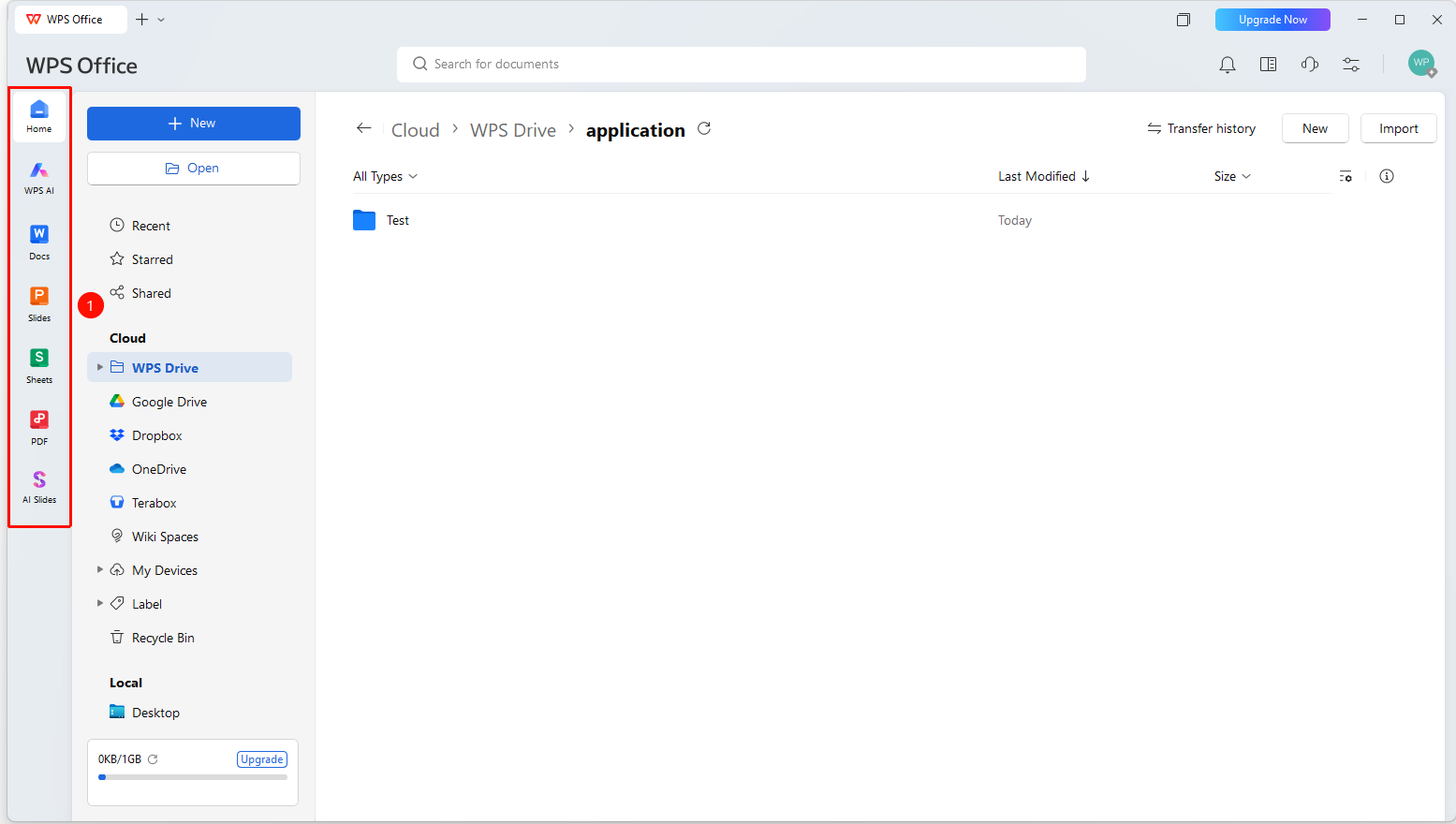
The navigation bar is located on the left side of the WPS Office homepage, displaying shortcut icons for applications. It supports hiding names, making it easy to quickly switch to or create corresponding types of documents.
Feature Description
| Feature Dimension | Description |
|---|---|
| Membership Restriction | No membership restriction |
| Version Restriction | No version restriction |
Steps
Navigation Bar
Feature Entry
「WPS Homepage」→ Left Navigation Bar
- When the navigation bar is enabled, application shortcut icons are displayed on the left, including the following features:
- Home: Return to the WPS homepage
- WPS AI: Enter the WPS AI intelligent assistant
- Docs: Create or open a Docs document
- Slides: Create or open a Slides presentation
- Sheets: Create or open a Sheets spreadsheet
- PDF: Create or open a PDF file
- AI Slides: Enter AI PPT
3.Click the corresponding icon to quickly switch to or create a corresponding type of document
Hide Name
Feature Entry
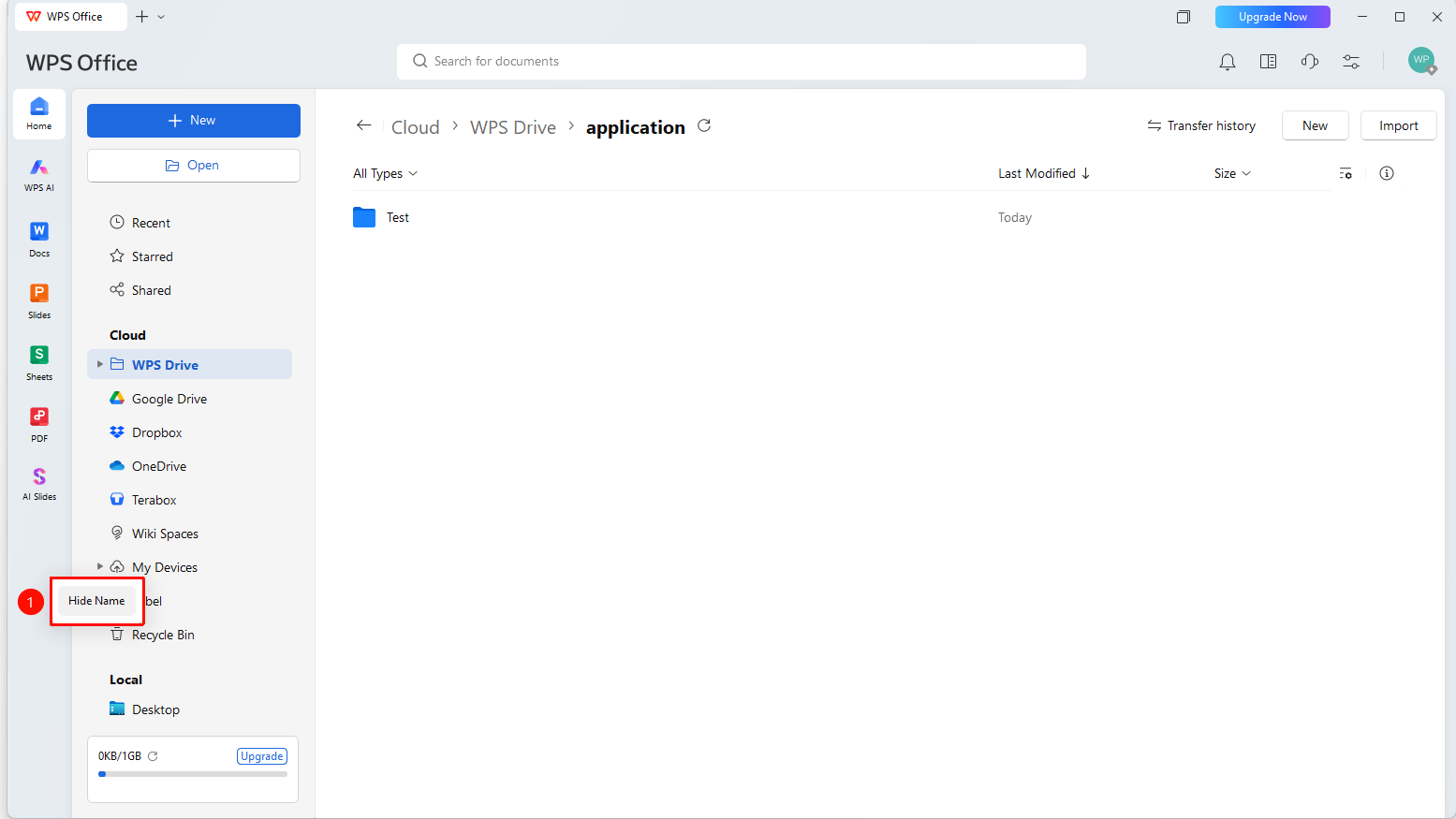
「WPS Homepage」→ Blank area of the navigation bar → Right-click → 「Hide Name」
- Right-click in the blank area of the navigation bar
- Click 「Hide Name」 in the pop-up menu
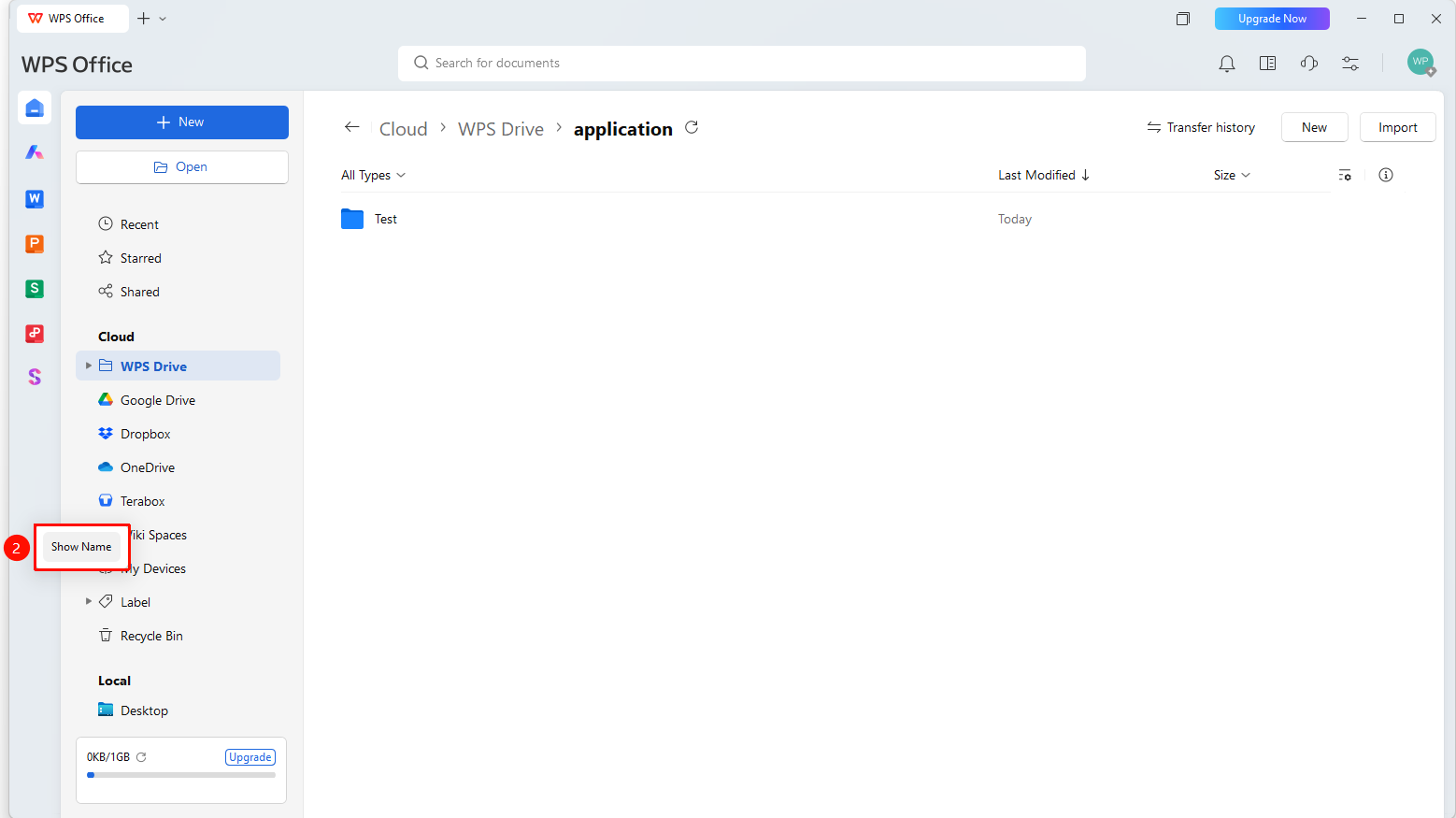
- Once enabled, the navigation bar only displays icons, without showing text names
- To restore, right-click the navigation bar again and check 「Show Name」
FAQ
Q1: Can the order of buttons in the navigation bar be adjusted?
- Solution: The order of buttons in the navigation bar is fixed by the system and does not support custom adjustment.
Q2: What is the difference between the navigation bar and the sidebar?
- Solution: The navigation bar is located on the left side of the homepage, providing quick access to features; the sidebar is located on the right side of the file list, used to display document information.
Notes
- The order of icons in the navigation bar is fixed by the system and does not support custom adjustment.
- After hiding names, hovering over an icon can view the name hint.
- The navigation bar is located on the left side of the WPS Office homepage and is not displayed after entering document editing.