Feature Summary
The right-side panel is a shortcut feature panel located in the upper right corner of the WPS Office home screen. It can be opened and closed, providing quick access to common operations such as import, transfer records, and new document creation.
Feature Description
| Feature Dimension | Description |
|---|---|
| Membership Restriction | No membership restriction |
| Version Restriction | No version restriction |
Operation Steps
Opening/Closing the Right-Side Panel
Feature Entry
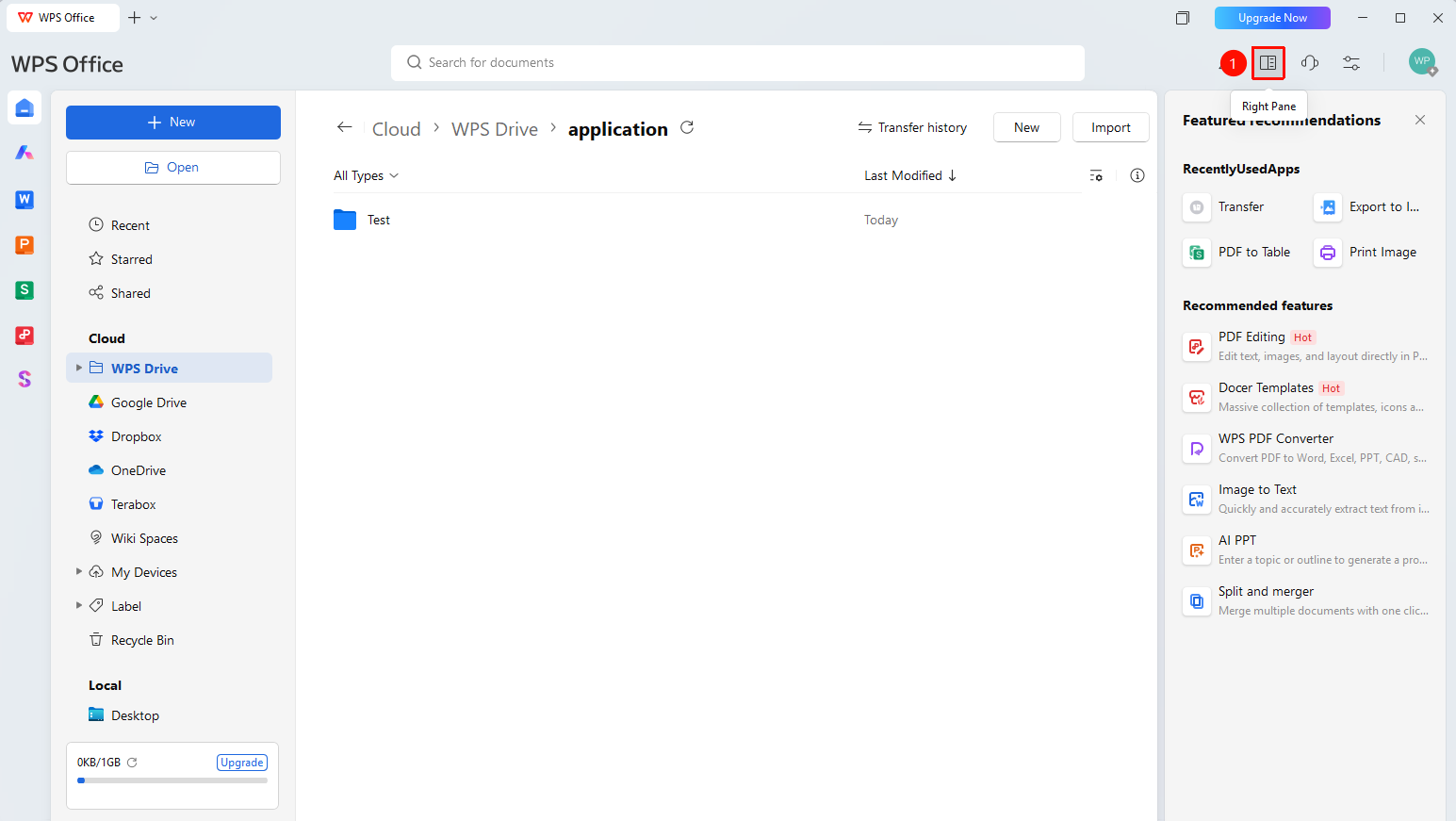
WPS Office home screen → "Right-Side Panel" button
- Open the WPS client
- Locate the "Right-Side Panel" button in the upper right corner of the home screen
- Click the "Right-Side Panel" button to toggle the panel state
FAQ
Q1: Where is the right-side panel located?
- Solution: It is located in the upper right corner of the WPS Office home screen, alongside buttons such as "Messages" and "Global Settings."
Notes
- The right-side panel button is located in the toolbar area in the upper right corner of the home screen.
- Opening and closing take effect instantly; no restart is required.
- The right-side panel only affects the home screen feature layout and does not affect the Document editing interface.