Feature Summary
The System Preview Pane Settings are used to configure the WPS file formats that can be previewed in the Windows system preview pane. Once enabled, you can quickly preview file content in File Explorer without opening the file.
Feature Description
| Feature Dimension | Description |
|---|---|
| Membership Restriction | No membership restriction |
| Version Restriction | No version restriction |
Operation Steps
Accessing System Preview Pane Settings
Feature Entry
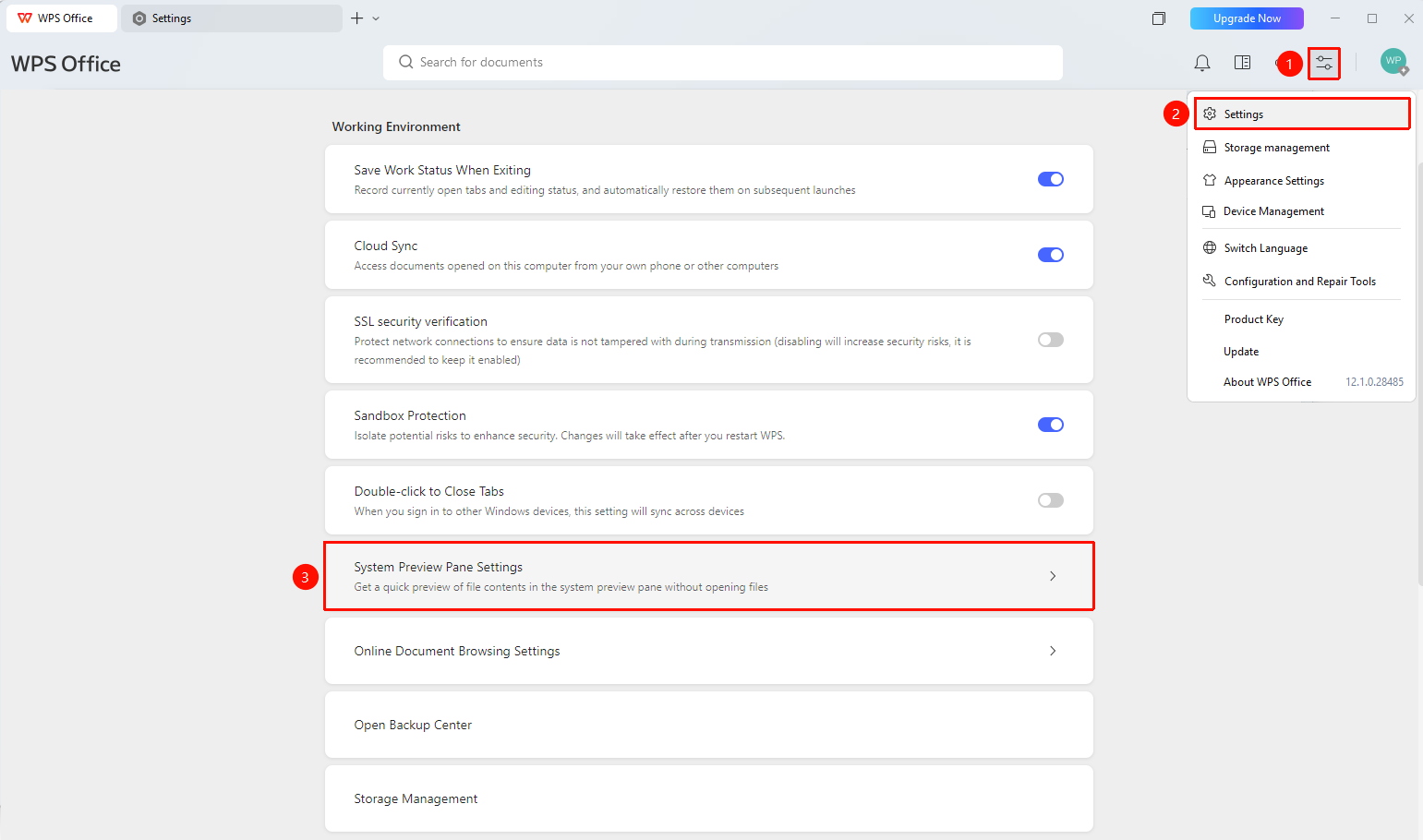
"Global Settings" button → "Settings" option → "System Preview Pane Settings" button
- Open the WPS client
- Click the "Global Settings" button in the upper right corner
- Select the "Settings" option
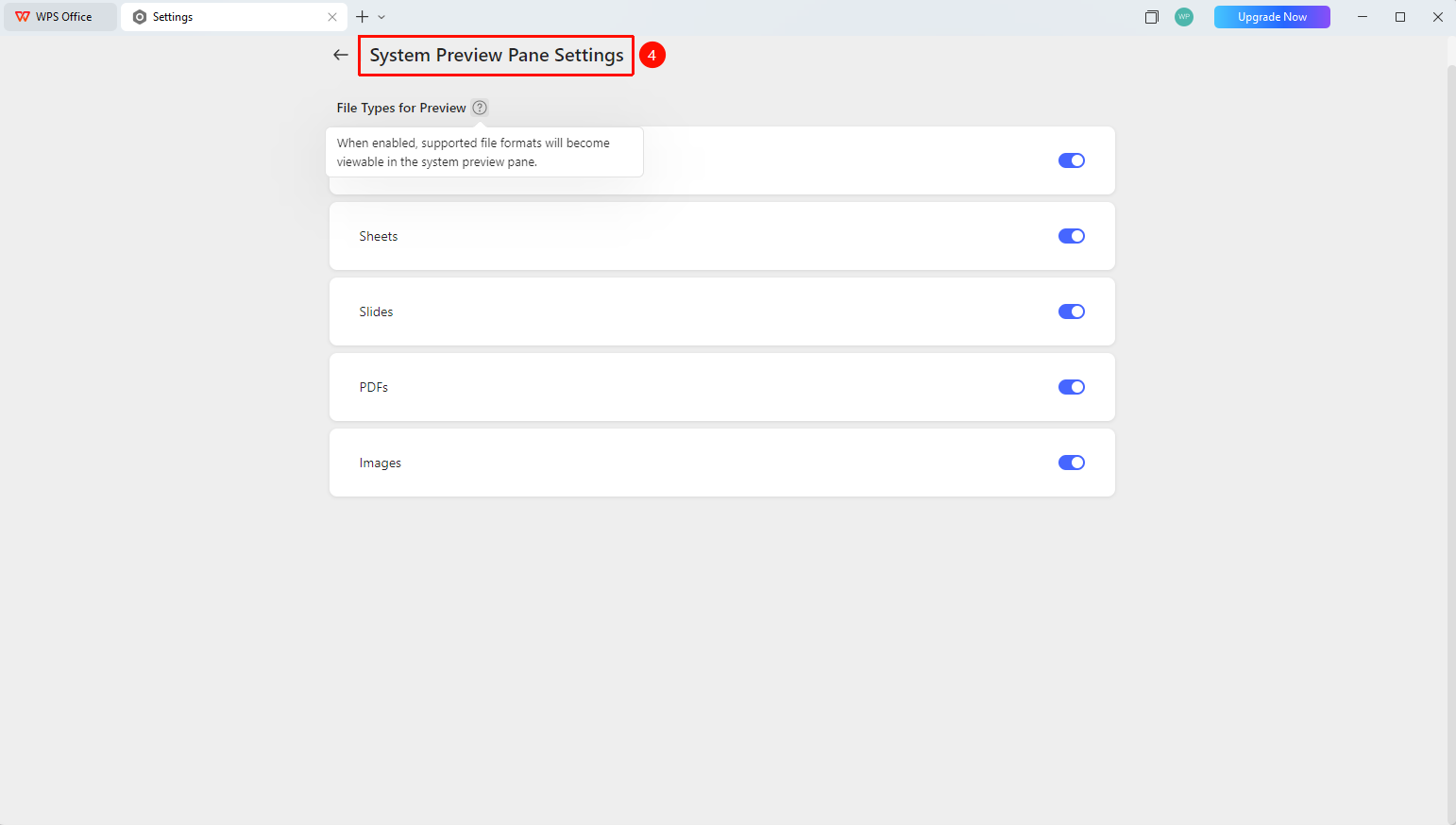
- Under the "Working Environment" group, find and click "System Preview Pane Settings" to enter
Configuring Preview File Formats
Feature Entry
"System Preview Pane Settings" page → "Preview File Formats" area
- Enter the "System Preview Pane Settings" page
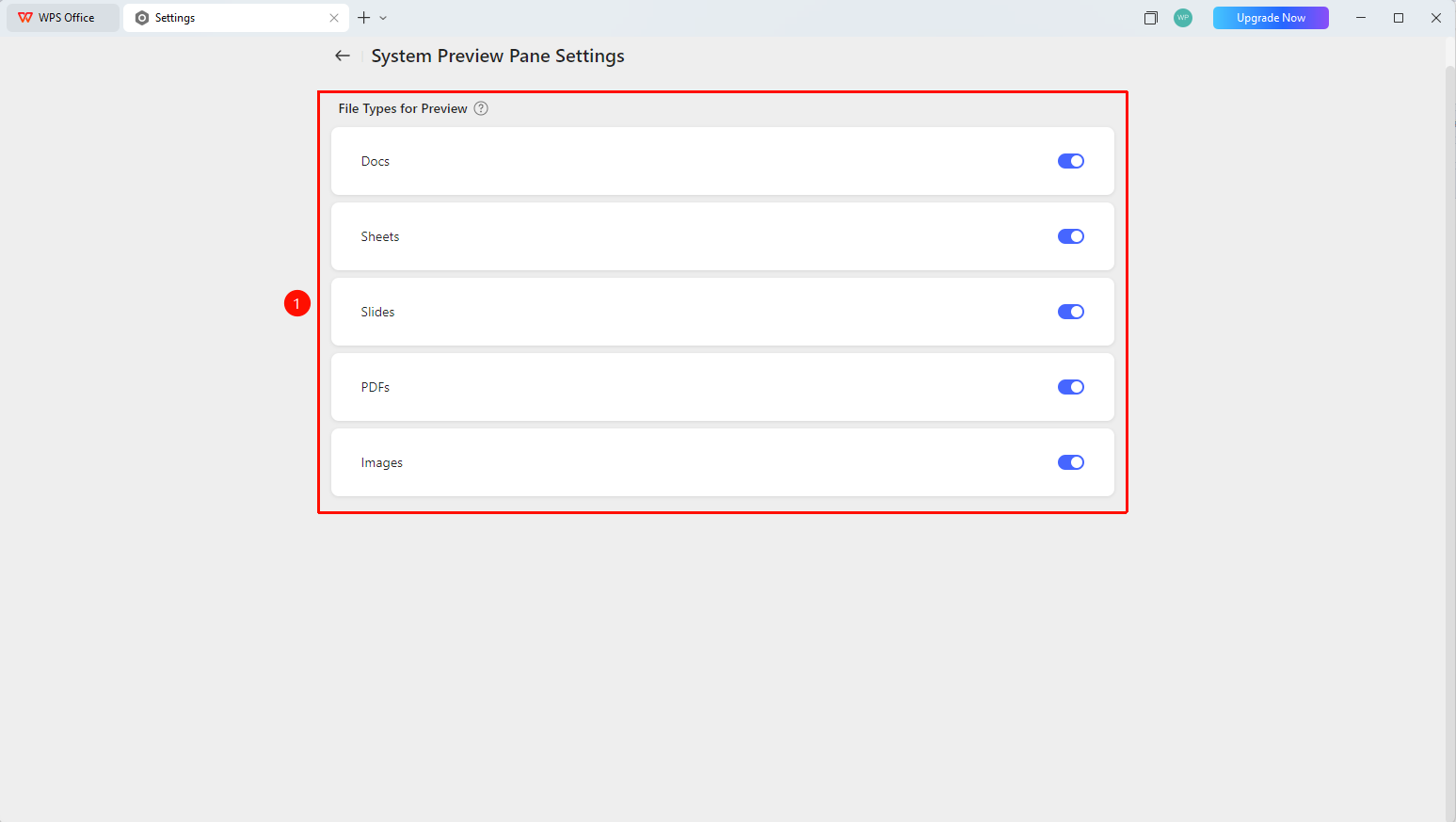
- In the "Preview File Formats" area, enable the switches for the corresponding formats as needed:
- "Docs Preview" : Enable to preview Docs documents
- "Sheets Preview" : Enable to preview Sheets documents
- "Slides Preview" : Enable to preview Slides documents
- "PDF Preview" : Enable to preview PDF documents
- "Image Preview" : Enable to preview image files
3.After the switches are enabled, you can view files of the corresponding formats in the system preview pane
FAQ
Q1: What file formats are supported by the System Preview Pane Settings?
- Solution: Five file formats are supported: Docs, Sheets, Slides, PDF, and Images. Each format can be switched on or off independently.
Q2: Where can I view the file content after enabling the preview?
- Solution: Enable the preview pane in Windows File Explorer ("View" → "Preview Pane"), select a file with an enabled format, and the content will be previewed on the right side.
Q3: Will the preview pane open the entire file?
- Solution: The preview pane only loads the first few pages of the file for quick previewing. It does not open the entire file, ensuring fast and secure previewing.
Notes
- You must first enable the format switches, and then enable the preview pane feature in the system File Explorer for it to take effect.
- The preview switches for each file format can be enabled or disabled independently.