Feature Summary
The Installation Directory Integrity Check is used to verify the integrity of files in the WPS Office installation directory, preventing accidental modifications from affecting the user experience. Once the check passes, you can use the software with confidence.
Feature Description
| Feature Dimension | Description |
|---|---|
| Membership Restriction | No membership restriction |
| Version Restriction | No version restriction |
Operation Steps
Run Integrity Check
Feature Entry
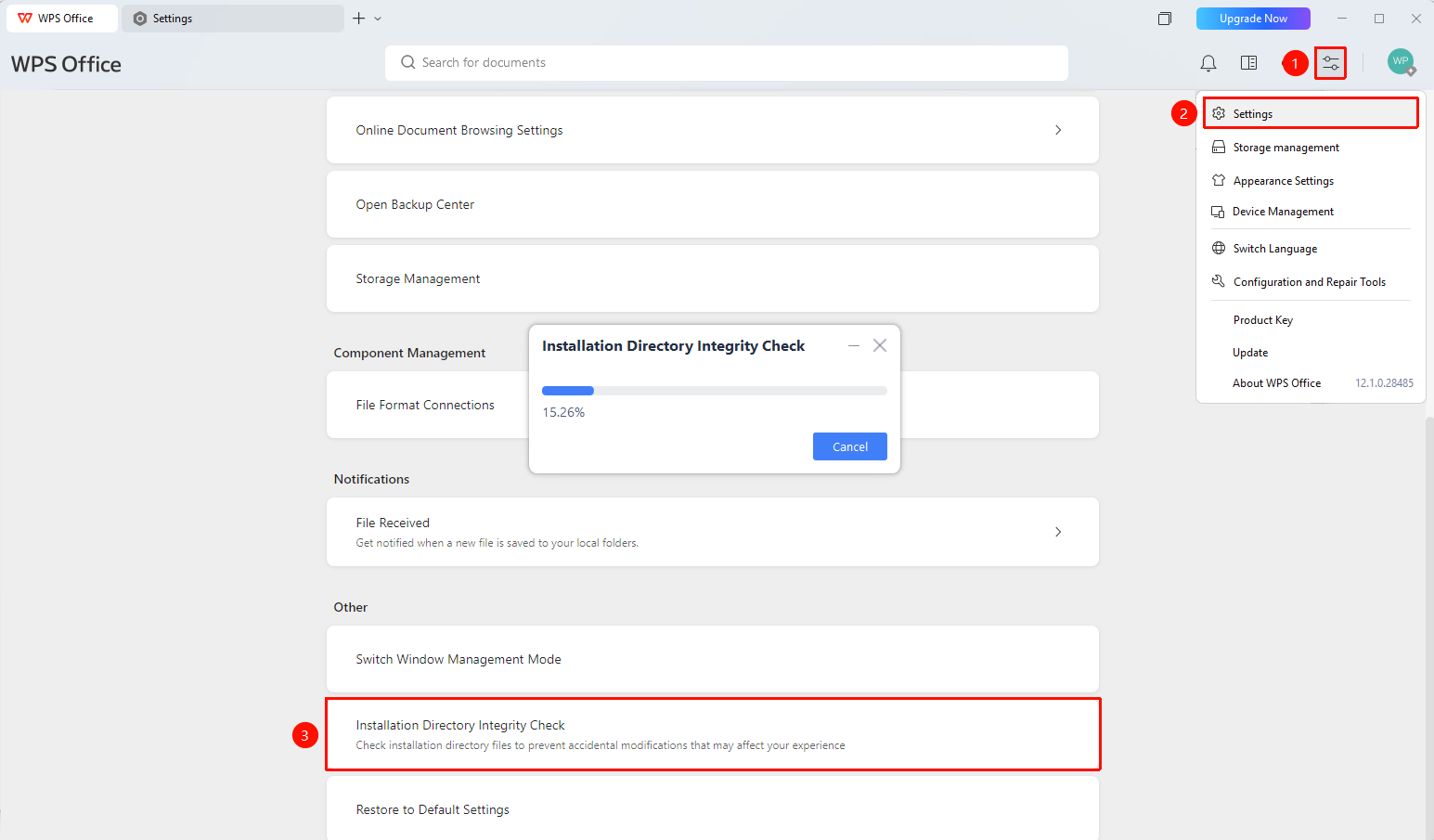
「Global Settings」 button → 「Settings」 option → 「Installation Directory Integrity Check」
- Open the WPS client
- Click the 「Global Settings」 button in the upper right corner
- Select the 「Settings」 option
- Scroll to the bottom of the settings page and click 「Installation Directory Integrity Check」
- The system will automatically start the check and display a progress bar
- Wait for the check to complete; the result dialog box will display the check result
FAQ
Question 1: When should I run the Installation Directory Integrity Check?
- Solution: When WPS encounters startup anomalies, missing features, runtime errors, or other abnormal situations, you can first run the Installation Directory Integrity Check to troubleshoot the issue.
Question 2: Can I cancel the check during the process?
- Solution: Yes, you can click the 「Cancel」 button during the check to interrupt the process.
Question 3: What results can appear after the check is complete?
- Solution: After the check is complete, the result will be displayed. If it shows 「Check Passed」, it means the installation directory files are intact and you can use the software with confidence.
Notes
- You can click 「Cancel」 at any time during the check to interrupt it.
- The check only verifies the integrity of files in the installation directory and does not affect document content.