Feature Summary
Restore Initial Default Settings is used to reset the settings of all WPS Office components to their default values, resolving feature issues caused by configuration anomalies.
Feature Description
| Feature Dimension | Description |
|---|---|
| Membership Restriction | No membership restriction |
| Version Restriction | No version restriction |
Operation Steps
Restore Initial Default Settings
Feature Entry
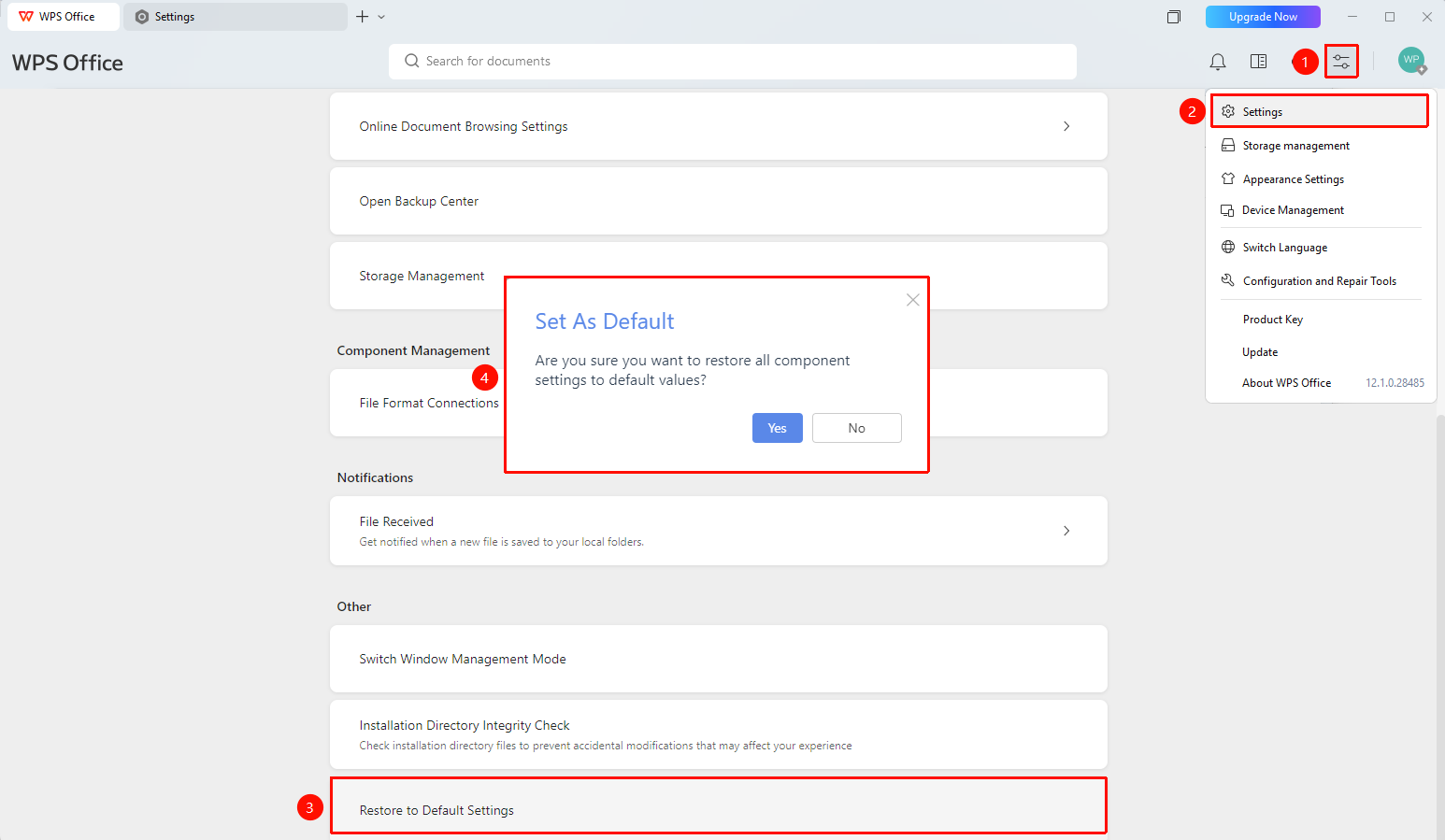
「Global Settings」button → 「Settings」option → 「Other」→ 「Restore Initial Default Settings」
- Open the WPS client
- Click the 「Global Settings」 button in the upper right corner
- Select the 「Settings」 option
- Scroll to the bottom of the settings page and click 「Restore Initial Default Settings」
- A confirmation dialog box will pop up, prompting 「Are you sure you want to restore the settings of all components to their default values?」
- Click 「Yes 」 to confirm the restoration, or click 「No 」 to cancel the operation
FAQ
Question 1: Will my personal configurations be lost after restoring default settings?
- Solution: Yes, the restoration operation will reset the settings of all components to their initial default values and clear custom configurations. It is recommended to confirm before proceeding.
Question 2: Can the restoration operation be undone?
- Solution: No, once you click 「Yes 」 to confirm, the settings will be immediately restored to their default values and cannot be undone. Please proceed with caution.
Notes
- Restoring initial default settings will clear all custom configurations.
- Once confirmed, the restoration operation cannot be undone. Please proceed with caution.
- Restoring default settings does not affect Document content.