Feature Summary
When you are faced with long documents and need to quickly grasp the core content, WPS AI Summarize can automatically extract the key points, structure, and conclusions of the document, helping you grasp the main ideas in the shortest time and improve reading efficiency.
Feature Description
| Feature Dimension | Description |
|---|---|
| Membership Limits | Available for both WPS Pro+ and WPS Premium |
| Version Limits | Applicable to the latest version on the WPS official website |
Operating Steps
WPS AI Summarize
Feature Entry
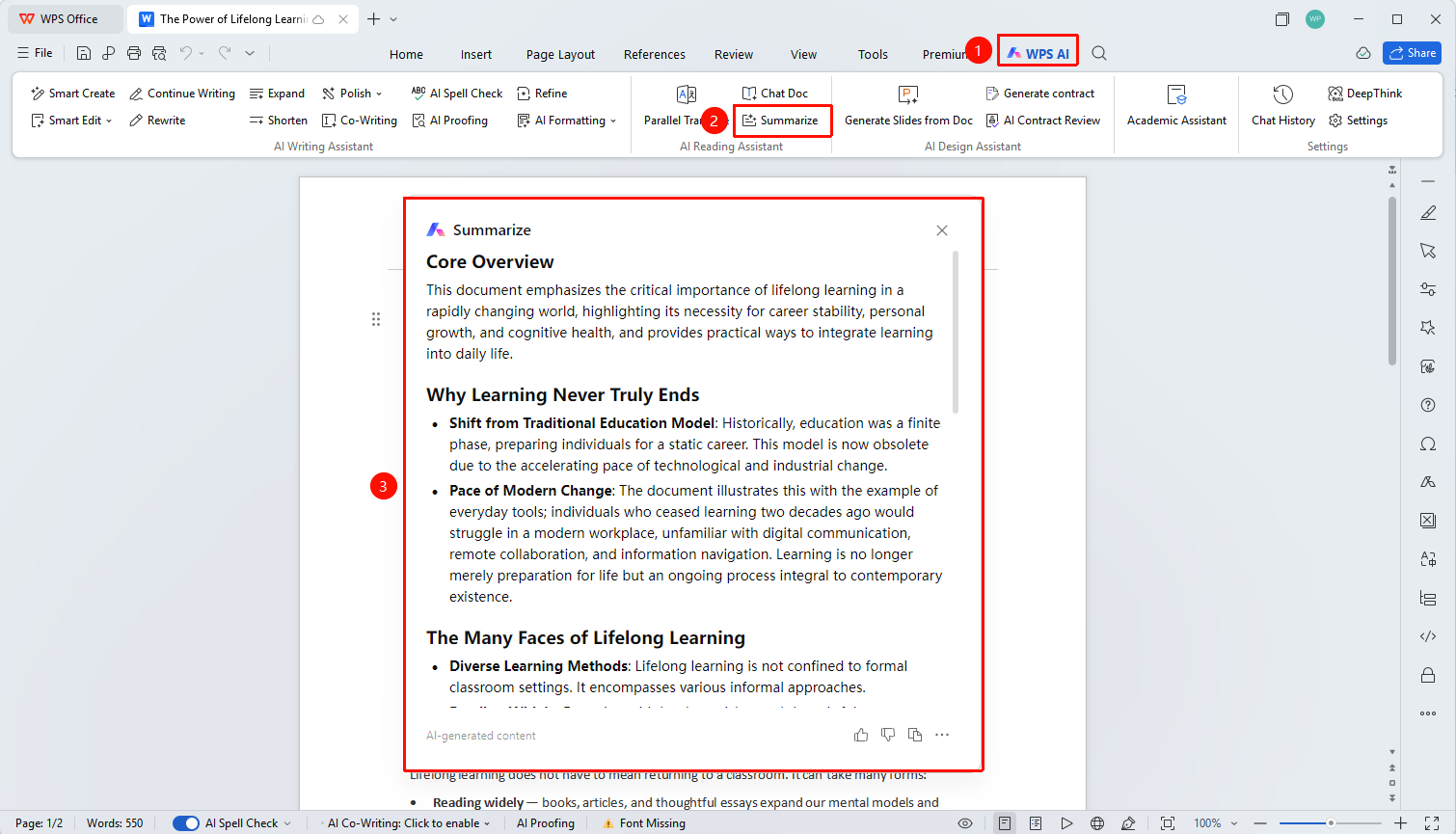
"WPS AI" tab → "Summarize"
- Open the document you want to summarize.
- Click the "WPS AI" tab on the top menu bar.
- Find and click the "Summarize" button in the ribbon
- AI will automatically analyze the document content and generate a summary.
FAQ
Q1: How long of a document does WPS AI Summarize support?
- Solution: WPS AI Summarize supports summarizing the entire content of the currently open document. It can handle academic papers and regular documents containing abstracts, chapters, and keywords, automatically extracting a quick overview and the main research content.
Q2: Can the summary results be copied and used?
- Solution: Yes. Click the copy icon at the bottom of the summary dialog to copy all summary content to the clipboard, making it easy to paste into other documents.
Notes
- There is a copy button at the bottom of the summary dialog to copy the summary content with one click.
- AI-generated content is for reference only. Please verify the accuracy of the information.
- Supports summarizing various types of documents such as academic papers, reports, and articles.