Feature Summary
When you are unsatisfied with your existing text and need a fresh way to express it, AI Rewrite reorganizes the content using new language while retaining the core information. This helps you obtain multiple expression options and choose the best version.
Feature Description
| Feature Dimension | Description |
|---|---|
| Membership Limits | Available for both WPS Pro+ and WPS Premium |
| Version Limits | Applicable to the latest version on the WPS official website |
Operating Steps
AI Rewrite
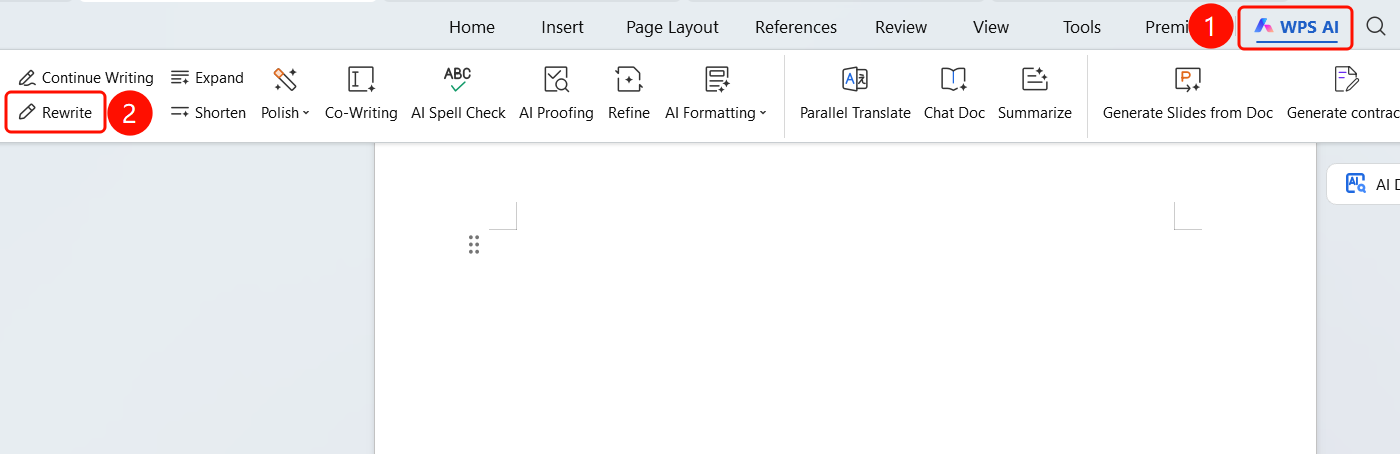
Feature Entry ①
"WPS AI" tab > "Rewrite"
- Select the text you want to rewrite.
- Click the "WPS AI" tab on the top menu bar.
- Click the "Rewrite" button (pen icon).
- AI automatically rewrites the content.
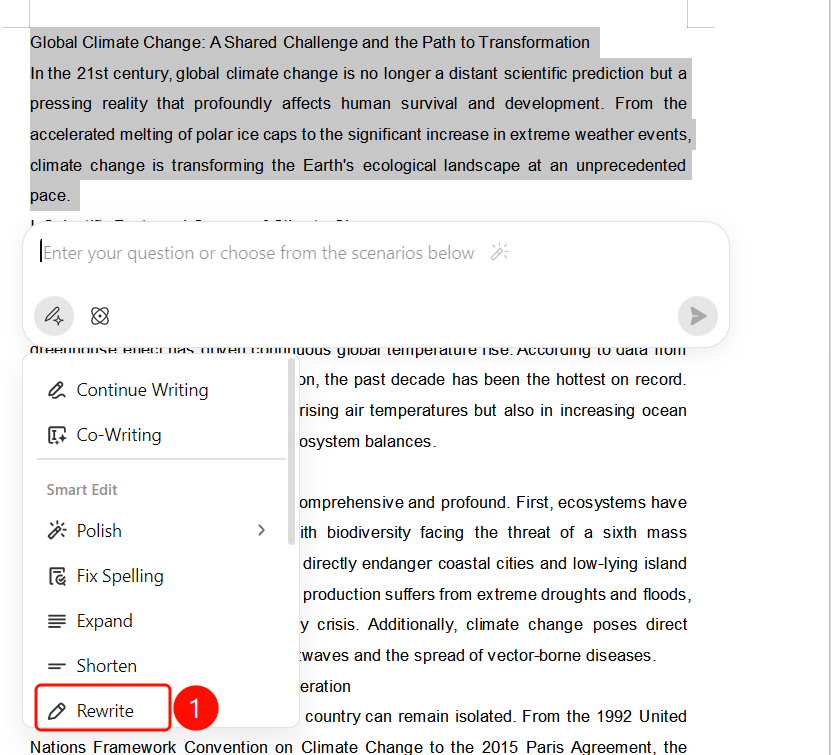
Feature Entry ②
Paragraph handle > "Rewrite"
- Select the text you want to rewrite.
- Click the paragraph handle to expand the menu.
- Choose "Rewrite".
- AI automatically rewrites the content.
View Rewrite Results
Feature Entry
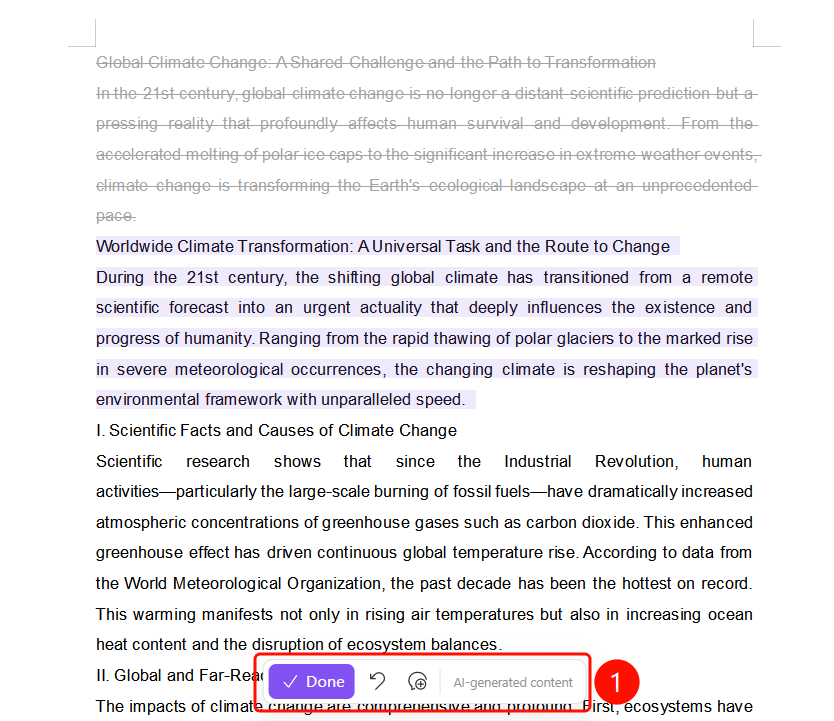
Bottom floating toolbar
After AI Rewrite is complete, the original text is displayed in gray.
The rewritten text is highlighted in SlateGray.
The bottom floating toolbar includes:
- "Done" (SlateGray button): Confirm and accept the rewritten results
- "Undo": Undo the rewrite operation
- "Regenerate": Rewrite again
FAQs
Question 1: Will AI Rewrite change the meaning of the original text?
- Solution: No. AI Rewrite reorganizes the expression using new language while retaining the core information.
Question 2: Can I regenerate the text if I am not satisfied with the rewrite?
- Solution: Yes. Click the "Regenerate" button on the bottom floating toolbar, and the AI will rewrite it again. You can also click "Undo" to restore the original text.
Question 3: How can I make the rewritten content better match my expectations?
- Solution: Select a more specific paragraph of text to rewrite. The AI will generate a more suitable expression based on the context.
Notes
- There is no limit on the number of times WPS Plus and Premium members can use the AI Rewrite feature.
- After rewriting, the original text is displayed in gray, and the rewritten content is highlighted in SlateGray.
- Multiple regenerations are supported until you are satisfied.