Feature Summary
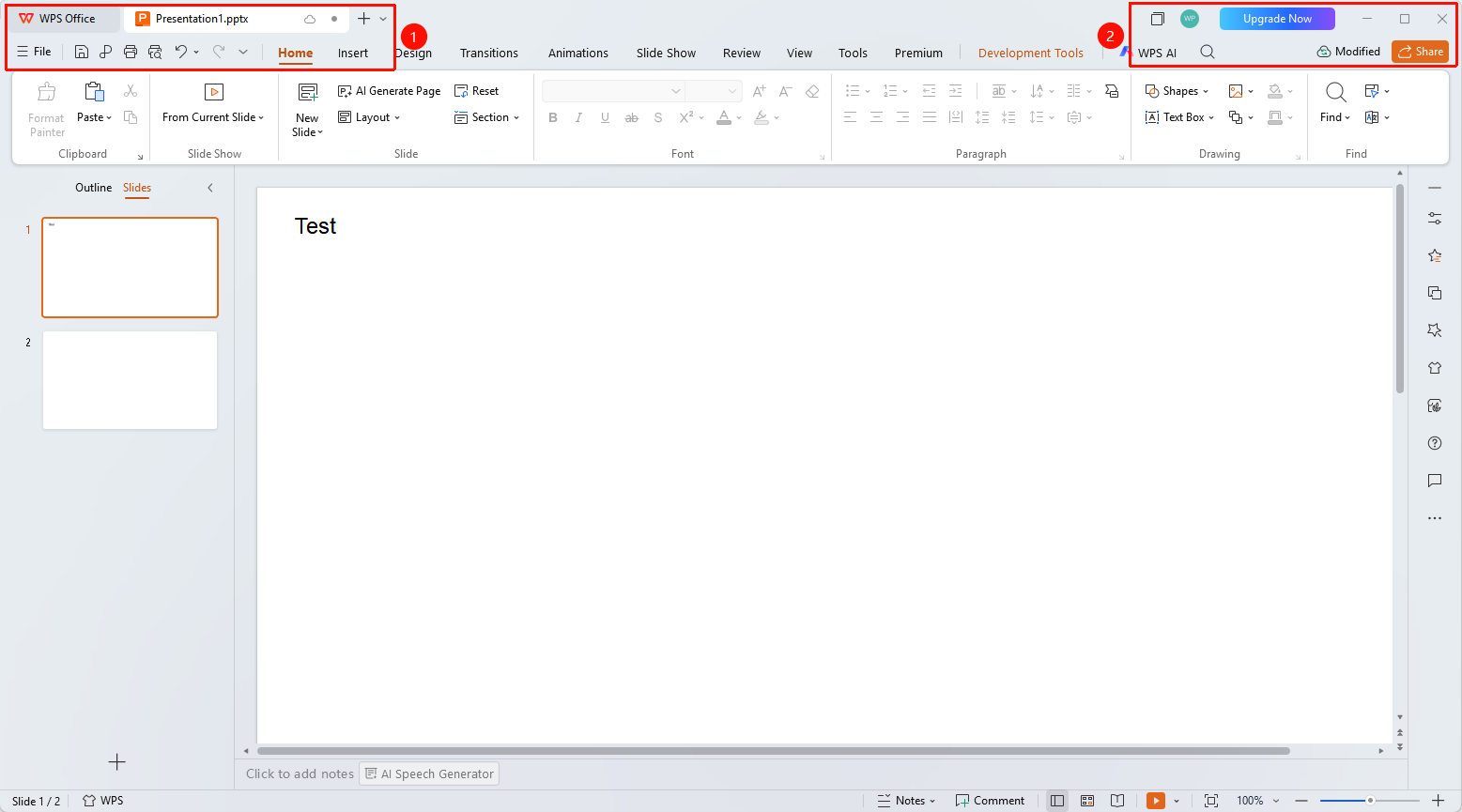
The title bar in WPS Slides local mode is located at the top of the window, displaying the document name and window control buttons.
Feature Description
| Feature Dimension | Description |
|---|---|
| Membership Restrictions | No membership restrictions |
| Version Restrictions | No version restrictions |
Operation Steps
Viewing the Title Bar
Feature Entry
Top of the window
- The title bar displays the name of the currently open document
- The left side shows the WPS Office icon and the Quick Access Toolbar
- The right side shows window control buttons (Minimize, Maximize, Close)
Frequently Asked Questions
Q1: What should I do if the document name displayed in the title bar is incomplete?
- Solution: Hover the mouse over the title bar to view the full document name and path.
Q2: How do I quickly save a document?
- Solution: Use the Save button in the Quick Access Toolbar or press the Ctrl+S shortcut key.
Q3: How do I create a new document?
- Solution: Click the New button (+ icon) in the title bar to create a new presentation.
Notes
- The title bar is an important indicator for determining whether the current document has been saved
- An asterisk before the document title indicates there are unsaved changes