Feature Summary
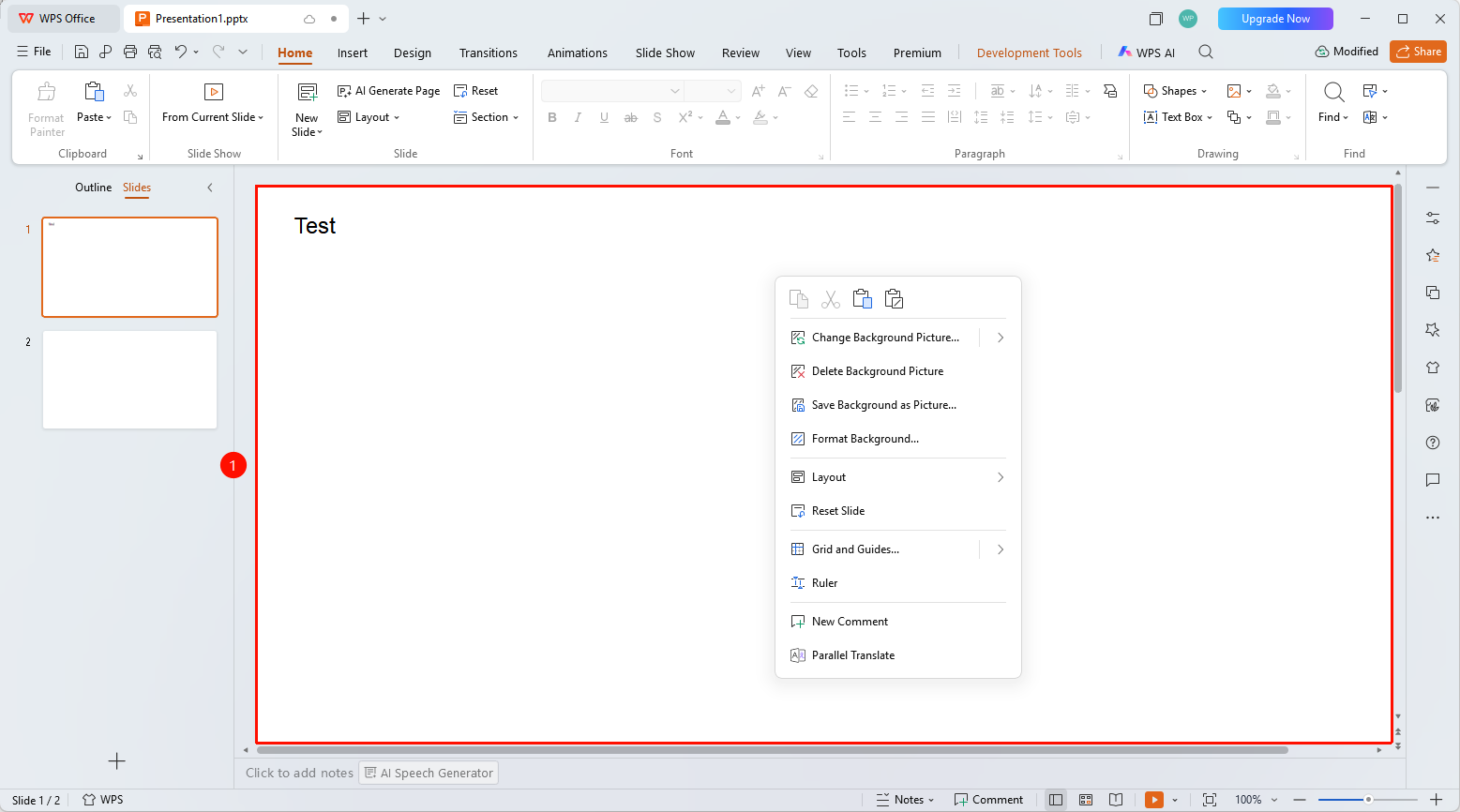
The editing area in WPS Slides local mode is the primary slide editing region, used for designing and creating presentation content.
Feature Description
| Feature Dimension | Description |
|---|---|
| Membership Restrictions | No membership restrictions |
| Version Restrictions | No version restrictions |
Operation Steps
Using the Editing Area
Feature Entry
Central area of the window
- The editing area displays the currently selected slide
- You can directly click placeholders to add titles or content
- Supports dragging to adjust object position and size
- Right-click to bring up the context menu for more operations
Frequently Asked Questions
Q1: How to zoom the display scale of the editing area?
- Solution: Use the zoom slider in the bottom status bar or hold Ctrl + scroll wheel to adjust.
Q2: How to hide gridlines in the editing area?
- Solution: Uncheck the gridlines option in the View tab.
Q3: How to precisely align objects?
- Solution: Use guides or alignment tools to precisely align multiple objects.
Notes
- Placeholders in the editing area can be freely resized and repositioned
- It is recommended to use guides to keep objects aligned